1. Overview
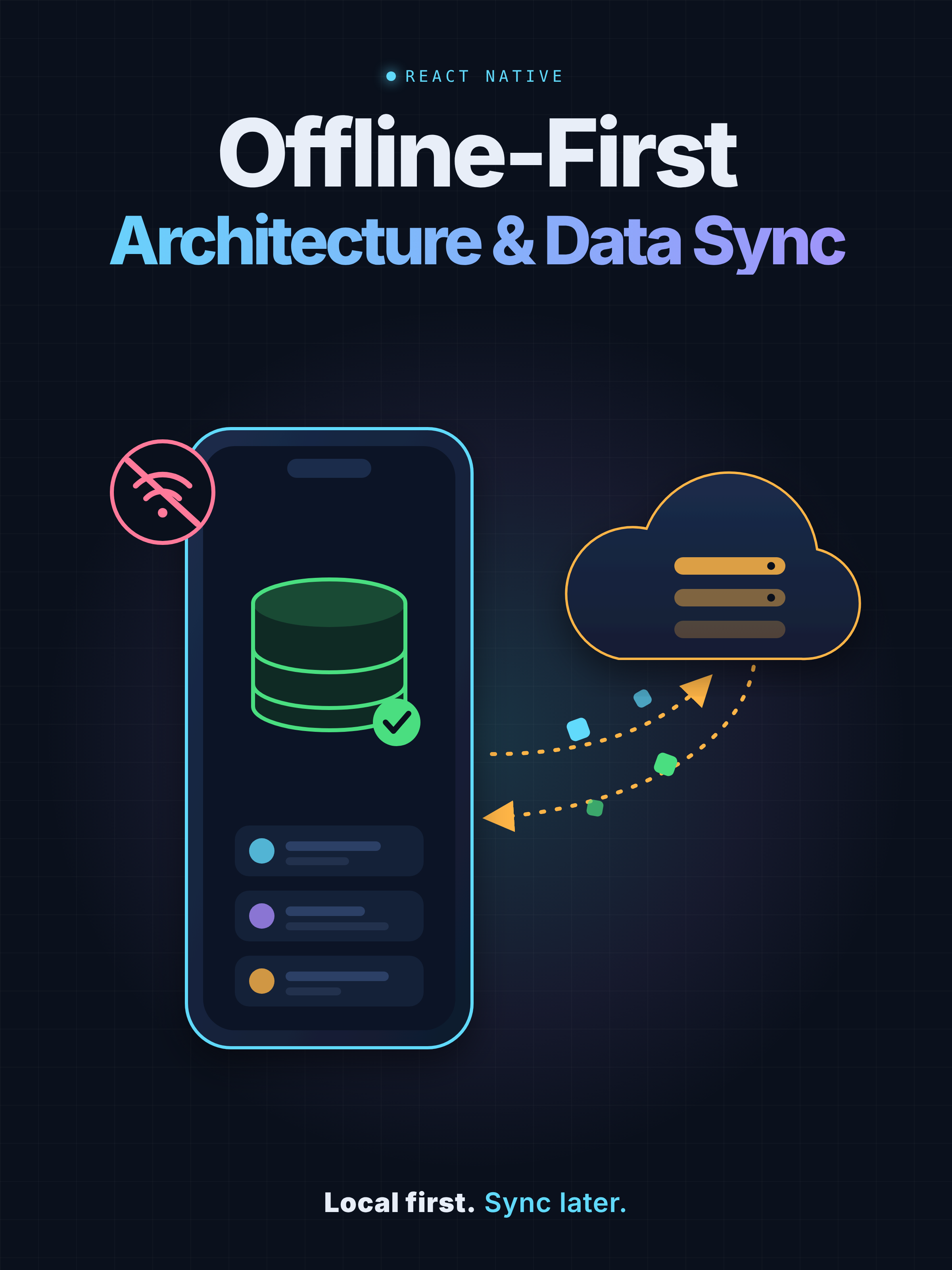
Offline-first architecture is a mobile application design approach in which the app remains useful when the device has no internet connection. Rather than fetching data every time a screen opens, the application stores data locally in a database such as SQLite and uses that database as its primary source for displaying information.
When a connection is available, the app synchronizes with the backend to retrieve new records, update existing records, process deletions, and—when the product supports user edits—upload local changes.
Core principle: The UI should read from the local database, not depend directly on an API response.
2. Architecture Overview
- React Native UI: Screens, lists, search and user interactions. Reads data through a repository or query hook.
- Repository / Data Manager: Centralizes data access, synchronization orchestration, retries and error handling.
- SQLite: Stores structured records persistently so the app can work across restarts and offline periods.
- Backend API: Provides authoritative server data and, where required, accepts user changes.
- Sync metadata: Stores a last-successful cursor or timestamp, sync status and related metadata.
- Asset cache: Stores downloaded images and documents locally when offline access is required.
3. Recommended Technology Stack
|
Layer |
Option |
Purpose |
|
Mobile framework |
React Native + TypeScript |
UI and business logic |
|
Local database |
SQLite |
Persistent structured data |
|
Networking |
Fetch API or Axios |
REST API requests |
|
Connectivity |
@react-native-community/netinfo |
Connectivity state changes |
|
Data access |
Repository pattern |
Centralized local/remote access |
|
File storage |
App-private file system |
Offline images and documents |
|
Small settings |
AsyncStorage or equivalent |
Small key-value preferences |
|
Background sync |
Platform-appropriate background tasks |
Refresh when OS permits |
Choose a SQLite library compatible with your React Native version and architecture. SQLite is for structured records; AsyncStorage is better suited to small key-value settings, not large relational datasets.
4. Data Synchronization Strategies
A. Full synchronization
Download all required records and replace or reconcile the local dataset.
Best for: Initial setup, small datasets and recovery.
B. Incremental synchronization
Download only records created, updated or deleted since the previous successful sync.
Best for: Large datasets and frequently updated content.
C. Bidirectional synchronization
Download server updates and upload local changes made by users.
Best for: Notes, forms, checklists and task-management apps.
For read-heavy reference data, articles, quizzes or catalogues, use a full sync on first launch and incremental sync afterward. Bidirectional sync is only needed when user changes must be sent to the server.
5. General Example: Offline Article Catalogue
Imagine an app that downloads articles from a CMS. Users must be able to open and search those articles without an internet connection. A server response might look like this:
{
“success”: true,
“last_updated”: “2026-10-29T08:30:00Z”,
“articles”: [
{
“id”: 101,
“title”: “Introduction to First Aid”,
“content”: “Basic first aid procedures…”,
“updated_at”: “2026-10-29T08:00:00Z”
},
{
“id”: 102,
“title”: “Emergency Procedures”,
“content”: “Emergency response guidance…”,
“updated_at”: “2026-10-29T08:20:00Z”
}
]
}
- On first launch, fetch the initial dataset from the API.
- Save records to SQLite in a transaction.
- Read articles from SQLite and render them in the UI.
- On later launches, show existing local articles immediately.
- Check whether new or updated records are available.
- Apply changes to SQLite and refresh the UI.
- If the API fails, retain existing records and continue in offline mode.
6. SQLite Database Design
A simple schema for downloaded articles and sync metadata:
CREATE TABLE IF NOT EXISTS articles (
id INTEGER PRIMARY KEY,
title TEXT NOT NULL,
content TEXT NOT NULL,
updated_at TEXT NOT NULL,
is_deleted INTEGER NOT NULL DEFAULT 0
);
CREATE TABLE IF NOT EXISTS sync_metadata (
key TEXT PRIMARY KEY,
value TEXT NOT NULL
);
Example sync_metadata values:
|
key |
value |
|
articles_last_sync |
2026-10-29T08:30:00Z |
|
articles_sync_status |
success |
The is_deleted column can hide server-deleted records locally. Prefer a server-generated timestamp or opaque sync cursor over relying solely on the device clock.
7. React Native Implementation Examples
The following examples illustrate the architecture. Database operations such as db.execute, db.query and db.transaction are abstract interfaces; replace them with equivalent methods from your chosen SQLite library.
7.1 Create a network service
// services/articleApi.ts
export async function fetchArticles(updatedSince?: string) {
const query = updatedSince
? `?updated_since=${encodeURIComponent(updatedSince)}`
: ”;
const response = await fetch(
`https://api.example.com/articles${query}`,
);
if (!response.ok) {
throw new Error(`Article API failed: ${response.status}`);
}
return response.json();
}
7.2 Save records to SQLite
// repositories/articleRepository.ts
export async function saveArticles(
db: Database,
articles: Article[],
) {
await db.transaction(async tx => {
for (const article of articles) {
await tx.execute(
`INSERT INTO articles
(id, title, content, updated_at, is_deleted)
VALUES (?, ?, ?, ?, 0)
ON CONFLICT(id) DO UPDATE SET
title = excluded.title,
content = excluded.content,
updated_at = excluded.updated_at,
is_deleted = 0`,
[
article.id,
article.title,
article.content,
article.updated_at,
],
);
}
});
}
This upsert inserts new records and updates existing records without creating duplicates. The SQL syntax requires SQLite support for UPSERT. Keep a batch in a transaction so partially applied changes are not exposed.
7.3 Implement synchronization
// services/articleSync.ts
export async function syncArticles(db: Database) {
const cursor = await getLastSyncCursor(db, ‘articles’);
const result = await fetchArticles(cursor);
await db.transaction(async tx => {
await saveArticlesInTransaction(tx, result.articles);
await applyDeletions(tx, result.deletedIds ?? []);
await saveLastSyncCursor(tx, ‘articles’, result.nextCursor);
});
}
getLastSyncCursor, saveArticlesInTransaction, applyDeletions and saveLastSyncCursor are helper functions that must be implemented for your database and API contract. The API must define pagination, deletion events and cursor semantics.
Critical rule: Advance the sync cursor only after every change in the batch has been applied successfully. This prevents records from being skipped after a partial failure.
7.4 Read from SQLite for the UI
// repositories/articleRepository.ts
export async function getArticles(db: Database) {
return db.query(
`SELECT id, title, content, updated_at
FROM articles
WHERE is_deleted = 0
ORDER BY title ASC`,
);
}
Screens should read through the repository. After synchronization, refresh the local query or observe database changes so the UI reflects the latest records.
7.5 Trigger synchronization when appropriate
import NetInfo from ‘@react-native-community/netinfo’;
const unsubscribe = NetInfo.addEventListener(state => {
if (
state.isConnected &&
state.isInternetReachable !== false
) {
void syncArticles(db).catch(error => {
console.warn(‘Sync failed:’, error);
});
}
});
// Call unsubscribe when the owning component or service
// is no longer active.
This is a simplified connectivity trigger, not a complete background sync system. Also consider sync at app startup and user-initiated refresh. Prevent overlapping sync jobs; connectivity does not guarantee API reachability.
8. Common Synchronization Scenarios
|
Scenario |
Recommended behavior |
|
First app launch |
Download all required records, then mark initial sync complete. |
|
No internet |
Read existing SQLite records; do not clear the database. |
|
API timeout |
Keep local data and retry later with backoff. |
|
New server record |
Insert it into SQLite. |
|
Updated server record |
Update the corresponding local record. |
|
Deleted server record |
Apply a deletion event or tombstone. |
|
App closes during sync |
Resume safely without skipping changes or duplicating records. |
|
Multiple sync requests |
Allow one sync per dataset at a time. |
|
Database migration |
Upgrade the schema without unintentionally deleting user data. |
9. Conflict Resolution
- Server wins: Appropriate when server-side records are authoritative.
- Last write wins: Suitable for some simple fields, provided timestamps and clock skew are handled.
- Version-based resolution: Use record versions or ETags to detect concurrent changes.
- Field-level merge: Useful when independent fields can be safely changed separately.
Do not apply last-write-wins blindly to important records. For transactions, permissions or other sensitive operations, use server-side validation and explicit conflict rules.
10. Offline Image and Document Caching
- Download metadata from the API.
- Extract image and document URLs.
- Download required assets to the app’s private file directory.
- Verify successful downloads and file integrity where practical.
- Save the local file path against the corresponding database record.
- Display the local file when available.
- Retry failed downloads without discarding working cached files.
Use stable filenames or content hashes, and update database references only after a new file has downloaded successfully. For large collections, prioritize essential assets and manage storage limits.
11. Suggested Project Folder Structure
src/
├── api/
│ └── articleApi.ts
├── database/
│ ├── database.ts
│ ├── migrations.ts
│ └── schema.ts
├── repositories/
│ └── articleRepository.ts
├── sync/
│ ├── syncManager.ts
│ ├── syncMetadata.ts
│ ├── conflictResolver.ts
│ └── assetDownloader.ts
├── hooks/
│ └── useArticles.ts
├── screens/
│ └── ArticlesScreen.tsx
└── types/
└── article.ts
Keep synchronization logic outside screens. This makes data-management logic reusable across screens and easier to test.
12. Best Practices Checklist
☐ UI reads from SQLite rather than waiting for the API.
☐ Initial full sync and incremental sync are implemented.
☐ Sync cursor updates only after successful database changes.
☐ API supports pagination and server-side deletion tracking.
☐ Database updates use transactions and safe upserts.
☐ Offline image and document caching is handled.
☐ Retries use backoff and avoid duplicate sync jobs.
☐ Network failures preserve existing local data.
☐ Schema migrations are tested on existing installations.
☐ Offline, slow-network and interrupted-sync scenarios are tested.
☐ Logs and sync status help diagnose failures.
☐ Authentication and sensitive local data are handled securely.
13. Testing Strategy
- Fresh installation with internet access.
- Fresh installation without internet access.
- Existing installation reopening without internet access.
- Server records added, updated and deleted.
- Internet disconnecting halfway through a sync.
- App termination during a database transaction.
- Slow downloads and failed image downloads.
- Repeated sync requests and expired authentication.
- App upgrade with an existing SQLite database.
14. Further Reading
- React Native Networking: https://reactnative.dev/docs/network
- Android Offline-First Architecture: https://developer.android.com/topic/architecture/data-layer/offline-first
- React Native Engineering Handbook — Offline-First and Sync: https://sitharaj88.github.io/react-native-engineering-handbook/docs/playbooks/offline-first-and-sync/
15. Summary
Use the local database as the source of truth for UI reads, the backend as the authority for server-managed content, and a dedicated sync manager to reconcile changes. Keep full downloads, incremental updates, deletion handling and offline assets as separate, testable responsibilities. This architecture provides a strong foundation for reliable offline-first React Native applications.