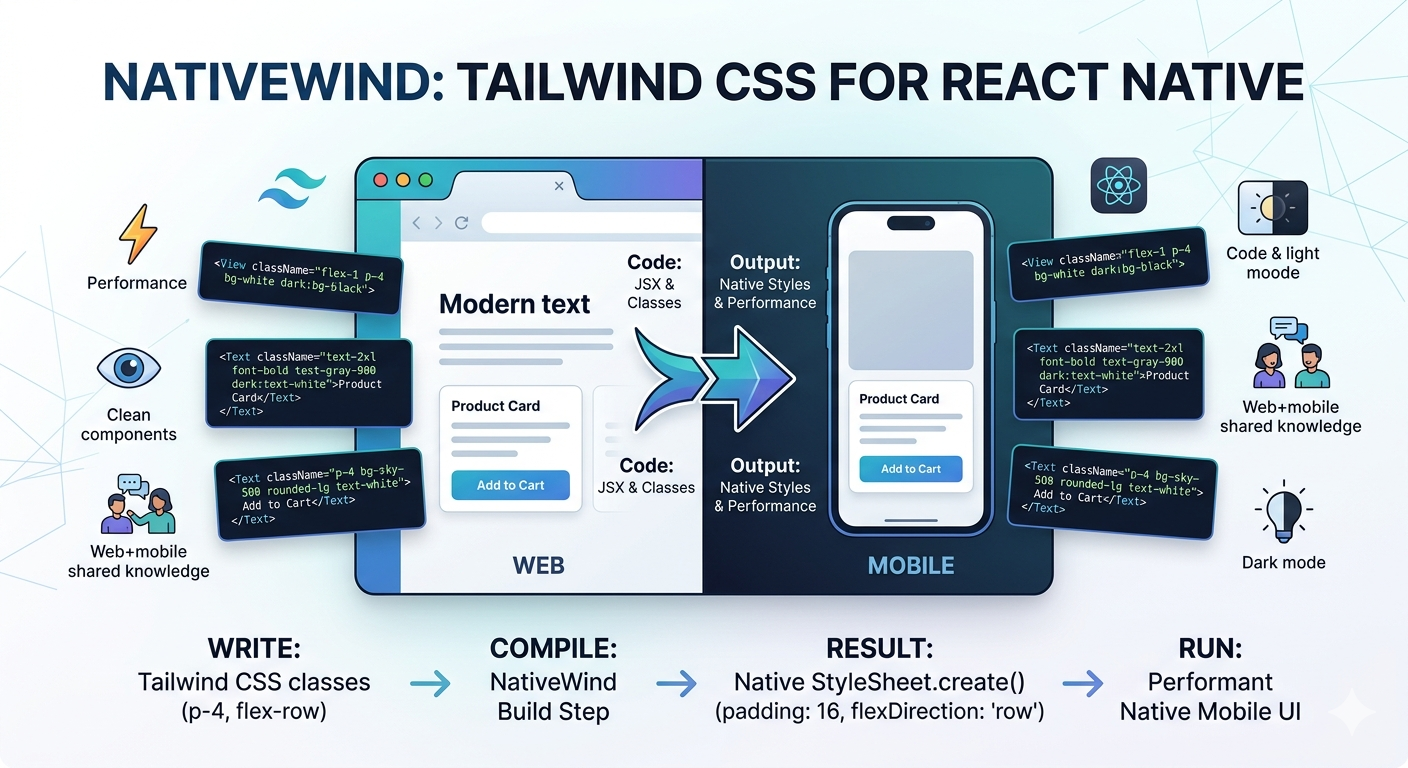
Tailwind CSS completely changed how developers style web applications. Instead of writing long CSS files, developers could build modern interfaces directly inside components using utility classes.
Now, that same utility-first workflow is available in React Native through NativeWind.
NativeWind allows you to use Tailwind-style classes like flex-1, bg-white, and text-xl directly in React Native components while still using React Native’s native styling engine under the hood.
In this guide, we’ll cover:
- What NativeWind is
- How NativeWind works internally
- Using Tailwind classes in React Native
- Dark mode support
- Common limitations and setup issues
- Best practices for production apps
What is NativeWind?
NativeWind is a styling library that brings the Tailwind CSS developer experience to React Native.
Normally in React Native, styles are written using StyleSheet.create():
const styles = StyleSheet.create({
  container: {
    flex: 1,
    justifyContent: "center",
    alignItems: "center",
  },
});
With NativeWind, you can instead write:
<View className="flex-1 justify-center items-center">
This makes styling feel much closer to modern React web development.
How NativeWind Works
One important thing to understand is that React Native does not support CSS like browsers do.
There’s no traditional CSS engine in React Native.
NativeWind solves this problem by converting Tailwind utility classes into React Native-compatible styles using StyleSheet.create().
Internally, NativeWind:
- Parses Tailwind utility classes
- Converts them into native styles
- Applies them efficiently through React Native’s styling system
This means you still get native performance while writing utility-first styles.
Why Developers Love NativeWind
NativeWind has become extremely popular among React Native developers because it provides:
Faster Development
You can build screens much faster without constantly switching between components and stylesheet files.
<Text className="text-2xl font-bold text-blue-500">
  Hello NativeWind
</Text>
Cleaner Components
Instead of maintaining large style objects, styles stay close to the JSX.
Shared Web + Mobile Knowledge
Teams already using Tailwind CSS on the web can reuse the same design language and utility mindset in React Native.
Better Design Consistency
Spacing, typography, colors, and layouts become more standardized across the app.
Your First NativeWind Screen
Here’s a simple example:
import "./global.css";
import { View, Text } from "react-native";

export default function App() {
  return (
    <View className="flex-1 items-center justify-center bg-black">
      <Text className="text-2xl font-bold text-white">
        NativeWind is Working
      </Text>
    </View>
  );
}
If you see centered white text on a black background, NativeWind is configured properly.
Building Layouts with NativeWind
Most Tailwind utilities work naturally in React Native.
| Feature | Example |
|---|---|
| Flexbox | flex-row, items-center |
| Spacing | p-4, mt-2, gap-4 |
| Colors | bg-blue-500, text-white |
| Typography | font-bold, text-xl |
| Border Radius | rounded-xl |
Example card UI:
<View className="bg-white p-4 rounded-2xl">
  <Text className="text-lg font-semibold">
    Product Card
  </Text>
</View>
Dark Mode Support
One of NativeWind’s best features is built-in dark mode support.
The library includes a useColorScheme() hook that helps toggle between light and dark themes.
Example:
import { useColorScheme } from "nativewind";

const { colorScheme, toggleColorScheme } = useColorScheme();
You can then use Tailwind’s dark: modifier:
<View className="bg-white dark:bg-black">
  <Text className="text-black dark:text-white">
    Dark Mode Example
  </Text>
</View>
This feels very similar to Tailwind CSS on the web.
Example: Product Grid UI
A common use case for NativeWind is building ecommerce-style layouts using:
FlatList- responsive columns
- Tailwind utilities
- dark mode styling
Developers often calculate responsive column width using Dimensions.get("window").width and render products inside a multi-column layout.
This is one of NativeWind’s biggest strengths — rapidly building polished mobile UIs with minimal styling boilerplate.
NativeWind Limitations
Although NativeWind is powerful, it’s not perfect.
There are still several limitations compared to Tailwind CSS on the web.
1. Some Styles Still Need style={}
Certain React Native props cannot be styled using utility classes.
Example:
FlatList.columnWrapperStyle- certain animation styles
- some platform-specific props
In these cases, you still need regular React Native styles.
2. Not Every Tailwind Feature Exists
React Native doesn’t support:
- CSS Grid
- pseudo-elements
- many browser-only CSS features
Because of this, some Tailwind utilities behave differently or are unsupported.
3. Reanimated Integration Can Be Tricky
Some developers report friction when combining NativeWind with Reanimated animations. Community discussions frequently mention animation-related edge cases with Expo and NativeWind integrations.
A common production approach is:
- NativeWind for static UI
StyleSheetfor animation-heavy components
Common Setup Problems
The React Native community frequently discusses NativeWind setup issues.
Some common problems include:
- Babel config mistakes
- missing Tailwind content paths
- styles not refreshing
- Expo compatibility problems
- Reanimated integration quirks
Recent Reddit discussions show that many setup issues are usually caused by incorrect configuration rather than NativeWind itself.
NativeWind vs StyleSheet
This debate is still active in the React Native community.
NativeWind Advantages
- Faster development
- Cleaner JSX
- Better design consistency
- Familiar Tailwind workflow
- Easier prototyping
StyleSheet Advantages
- Native React Native approach
- More explicit styling
- Better control for complex animations
- No dependency abstraction layer
Many teams today use a hybrid approach:
- NativeWind for layout/UI
- StyleSheet for advanced animations and edge cases
Best Practices
Keep Utility Classes Readable
Avoid giant unreadable class strings.
Bad:
<View className="flex-row items-center justify-between bg-white px-4 py-2 rounded-xl shadow-md border border-gray-200">
Break components into reusable UI pieces instead.
Create Shared Components
Build reusable:
- Buttons
- Cards
- Inputs
- Headers
- Modals
This keeps your codebase maintainable.
Extend Your Tailwind Theme
Example:
theme: {
  extend: {
    colors: {
      primary: "#2563eb",
    },
  },
}
This helps maintain consistent branding.
Is NativeWind Worth Using in 2026?
For many developers — absolutely.
If your team already uses Tailwind CSS on the web, NativeWind makes React Native development feel extremely natural.
It’s especially useful for:
- startups
- MVPs
- rapid prototyping
- cross-platform teams
- Expo apps
However, for highly animation-heavy or deeply customized apps, combining NativeWind with traditional React Native styling often works best.
Final Thoughts
NativeWind has become one of the most popular styling solutions in the React Native ecosystem.
It successfully brings the utility-first Tailwind workflow into native mobile development while still leveraging React Native’s performant styling system.
The developer experience is fast, modern, and familiar — especially for teams already comfortable with Tailwind CSS.
While it still has some ecosystem friction and limitations, NativeWind continues to evolve rapidly and remains one of the best tools for building modern React Native UIs efficiently.
Useful Resources
Helpful tutorial: