May 2025 · Deep Dive · 22 min read
Tags: Ollama · Llama · Mistral · Gemma · Linux · macOS · Windows
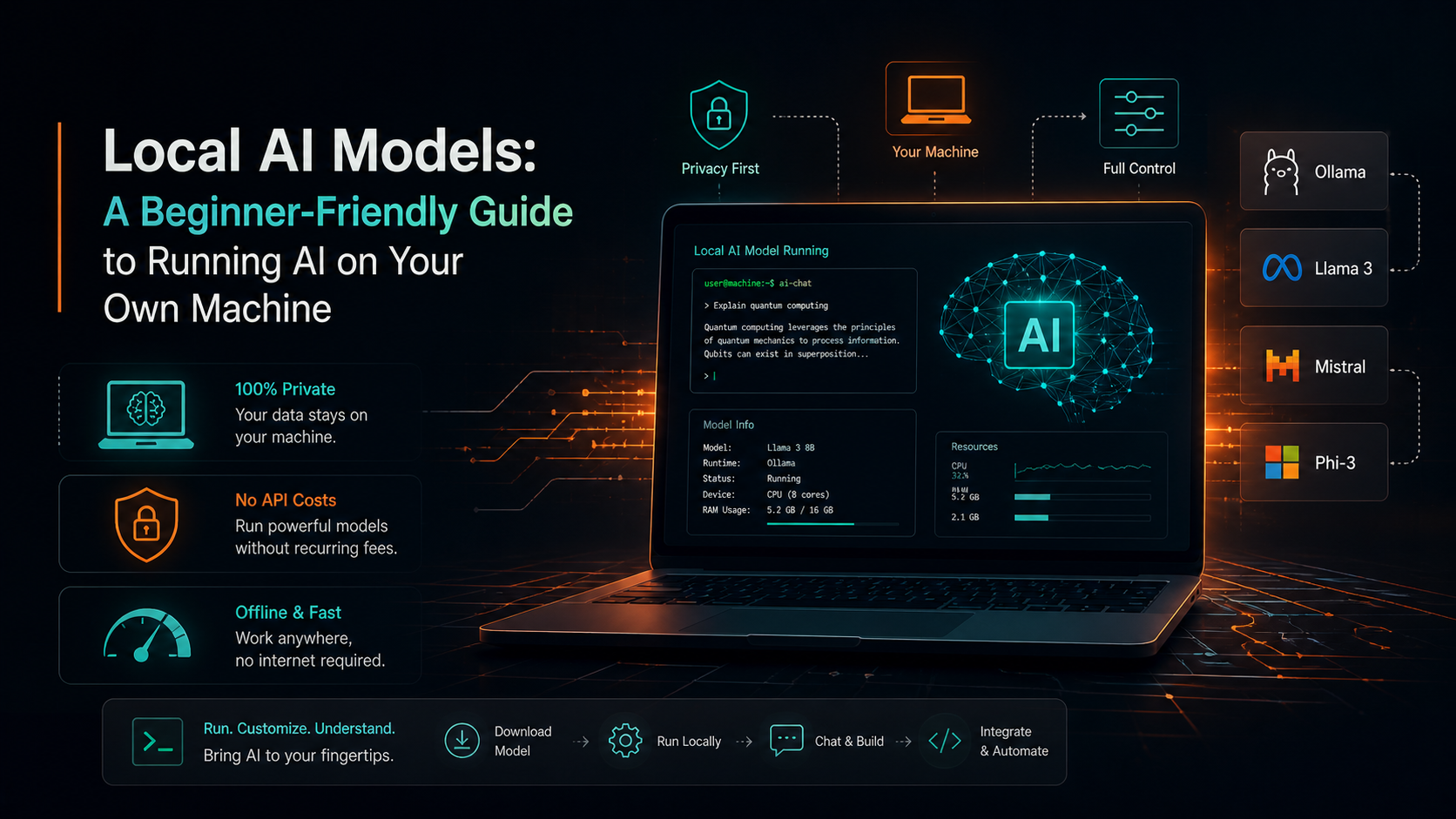
Cloud AI is powerful — but what if you could run a capable language model entirely on your laptop, air-gapped, free of API costs, with full control? This guide walks you from zero to a working local AI developer workflow, step by step.
Table of Contents
- Why Run AI Locally?
- How Local AI Works
- System Requirements
- Understanding the Models
- Setting Up Ollama
- Running Models in the Terminal
- Using the Ollama REST API
- Hardware & Performance
- Local vs Cloud Comparison
- Real Developer Workflow Example
- Advantages, Limitations & Hybrid Approach
- Conclusion
1. Why Run AI Locally? {#why-local}
The explosion of large language models in 2023–2024 gave developers access to remarkable tools through APIs. But APIs come with strings: per-token costs, latency, rate limits, and most critically, your data leaving your machine.
Running AI locally changes the equation entirely. Once a model is downloaded, every inference is free. Your sensitive code, customer data, and internal documents never leave your network. You can work offline. And you can integrate the model directly into your dev tools as if it were any other local service.
This guide is for developers who want to understand the full picture: what these models are, how to run them, how to call them from code, and how to build sensible workflows around them.
Who This Is For: You don’t need a PhD in machine learning. If you’re comfortable with the terminal and have written a few API calls, you have everything you need to follow this guide.
2. How Local AI Actually Works {#architecture}
When you run a local model, here’s what happens under the hood:
Ollama (or similar runtimes) loads a model’s weight file — typically in GGUF format — into system RAM or GPU VRAM. It exposes a local HTTP server on port 11434. Your application sends a prompt to that server, the runtime runs inference through the model’s transformer layers, and streams tokens back to you.
The flow looks like this:
Developer / App
      ↓  (HTTP / CLI)
Ollama Runtime :11434
  → Tokenizer + Context Manager
      ↓
Embedding Layer  (Tokens → Vectors)
      ↓
Transformer Blocks  (Attention · FFN × N layers)
      ↓
Output Head  (Logits → Token sampling)
      ↓
Generated Response  ← streamed token by token
The key technology making this possible is quantization: reducing model weights from 32-bit floats to 4-bit or 8-bit integers. A model that might need 60 GB at full precision can run in 5 GB after aggressive quantization — with surprisingly little quality loss for most tasks.
Model files live at ~/.ollama/models/ on your disk and are loaded into RAM/VRAM when you run them.
3. System Requirements {#requirements}
The most common question is “will this run on my machine?” The honest answer: it depends on the model size.
Minimum (runs 1B–3B models)
| Component | Requirement |
|---|---|
| RAM | 8 GB |
| Storage | 20 GB SSD |
| CPU | 4-core x86_64 |
| GPU | Not required |
| OS | macOS 12 / Ubuntu 20+ / Windows 11 |
Recommended (runs 7B–13B models)
| Component | Requirement |
|---|---|
| RAM | 16–32 GB |
| Storage | 100 GB NVMe |
| CPU | 8-core modern |
| GPU | 8 GB VRAM (optional but helpful) |
| OS | Any modern OS |
Advanced (runs 34B–70B models)
| Component | Requirement |
|---|---|
| RAM | 64 GB+ |
| Storage | 500 GB+ NVMe |
| CPU | 16+ core |
| GPU | 24 GB+ VRAM |
| OS | Linux preferred |
Apple Silicon Note: M1/M2/M3/M4 Macs use unified memory — the GPU and CPU share the same RAM pool. A MacBook with 16 GB unified memory can GPU-accelerate a 7B model with no discrete GPU needed. Excellent value for local AI.
⚠️ RAM Rule of Thumb: You need roughly 1.1× the model file size in RAM. A 7B model at Q4 quantization is ~4.1 GB, so you need at least 5 GB free RAM.
4. Understanding the Models {#models}
Dozens of open-weight models are available. Here are the ones most worth knowing:
Llama 3.1 / 3.2 — Meta AI
Meta’s flagship open model. Excellent instruction-following, strong code generation, and multilingual support. The 8B model punches well above its weight. Best general-purpose choice.
Available sizes: 1B (0.7 GB) · 3B (2.0 GB) · 8B (4.7 GB) · 70B (39 GB)
Mistral 7B / Mixtral — Mistral AI
Known for being fast and lean. The 7B Mistral is arguably the best model per gigabyte for general tasks. Mixtral uses a Mixture-of-Experts (MoE) architecture for higher quality at large scale.
Available sizes: 7B (4.1 GB) · Mixtral 8×7B (26 GB) · Mixtral 8×22B (87 GB)
Gemma 3 — Google DeepMind
Google’s open-weight model family. Gemma 3 9B is a remarkable performer. Excellent for reasoning tasks and structured output. Strong multilingual capability built-in.
Available sizes: 1B (0.8 GB) · 4B (3.3 GB) · 9B (5.4 GB) · 27B (16 GB)
Phi-4 — Microsoft Research
Small but surprisingly capable. Phi-4 14B rivals much larger models on reasoning benchmarks. Ideal for developers on laptops who want quality without massive storage footprint.
Available sizes: 14B (8.5 GB)
Qwen 2.5 Coder — Alibaba Cloud
Purpose-built for code. Trained on over 5 trillion tokens of code and text. Exceptional at code completion, debugging, and explanation across 40+ programming languages.
Available sizes: 1.5B (1.0 GB) · 7B (4.2 GB) · 32B (19 GB)
DeepSeek-R1 — DeepSeek
A reasoning model with chain-of-thought. Think of it as a locally runnable o1-style model. Excellent for math, logic, and step-by-step problem solving. The distilled 7B and 8B versions are remarkable.
Available sizes: 7B (4.7 GB) · 8B (4.9 GB) · 14B (9.0 GB) · 70B (42 GB)
Which model should I start with? For most developers: llama3.1:8b or gemma3:9b. They’re well-balanced, widely supported, and run well on 16 GB machines. For code-specific work, try qwen2.5-coder:7b.
5. Setting Up Ollama {#ollama-setup}
Ollama is the simplest way to run local models. It handles model downloads, quantization selection, a local REST API, and GPU acceleration automatically. Think of it as Docker for AI models.
Installation
Linux / macOS — one-liner:
curl -fsSL https://ollama.com/install.sh | sh
macOS via Homebrew:
brew install ollama
Windows: Download the installer from ollama.com/download, or use WSL2 with the Linux method above.
Verify installation:
ollama --version
# → ollama version is 0.6.x

# Start the server manually if needed
ollama serve
ℹ️ Server Mode: Ollama runs a background daemon automatically on macOS and Linux after install. On Windows with WSL2, run
ollama servein a terminal before issuing any other commands.
Pulling Your First Model
# Pull a model (downloads weights to ~/.ollama/models)
ollama pull llama3.1:8b

# Pull other popular models
ollama pull mistral:7b
ollama pull gemma3:9b
ollama pull qwen2.5-coder:7b
ollama pull phi4:14b
ollama pull deepseek-r1:7b

# List downloaded models
ollama list

# Check model info (layers, quantization, size)
ollama show llama3.1:8b
Running Your First Inference
# Start an interactive chat session
ollama run llama3.1:8b

# With a system prompt
ollama run llama3.1:8b "You are a helpful coding assistant. Answer concisely."

# Pipe input directly (non-interactive)
echo "Explain async/await in Python in 3 sentences" | ollama run llama3.1:8b

# Run with a larger context window
ollama run llama3.1:8b --context 8192
6. Terminal Demo — What It Looks Like {#terminal-demo}
Here’s a real session pulling and running a model:
❯ ollama pull llama3.1:8b
pulling manifest
pulling 8eeb52dfb3bb... 100% ████████████████ 4.7 GB
pulling 073e3cc9e1c6... 100% ████████████████ 1.7 KB
verifying sha256 digest
success

❯ ollama run llama3.1:8b "Write a Python function to check if a number is prime"

Here's a clean Python implementation:

def is_prime(n: int) -> bool:
    """Check if a number is prime."""
    if n < 2:
        return False
    if n == 2:
        return True
    if n % 2 == 0:
        return False
    for i in range(3, int(n**0.5) + 1, 2):
        if n % i == 0:
            return False
    return True

This runs in O(√n) time. Works for n up to ~10^15 reliably.

❯ ollama list
NAME                 ID              SIZE    MODIFIED
llama3.1:8b          91ab477bec9d    4.7 GB  2 minutes ago
mistral:7b           f974a74358d6    4.1 GB  3 days ago
gemma3:9b            ccc1ac5e29ae    5.4 GB  3 days ago
qwen2.5-coder:7b     2b0496514337    4.2 GB  1 week ago
7. Using the Ollama REST API {#api-usage}
The CLI is handy for exploration, but as a developer you’ll want to call the model from code. Ollama exposes a fully compatible OpenAI-style REST API on http://localhost:11434.
Raw HTTP / cURL
# Generate a single response (non-streaming)
curl http://localhost:11434/api/generate \
  -H "Content-Type: application/json" \
  -d '{
    "model": "llama3.1:8b",
    "prompt": "What is a REST API in one sentence?",
    "stream": false
  }'

# OpenAI-compatible chat endpoint (drop-in replacement!)
curl http://localhost:11434/v1/chat/completions \
  -H "Content-Type: application/json" \
  -d '{
    "model": "llama3.1:8b",
    "messages": [
      {"role": "system", "content": "You are a senior software engineer."},
      {"role": "user",   "content": "Review this SQL query for performance issues."}
    ]
  }'
Python
pip install ollama openai
import ollama

# Simple generate
response = ollama.generate(
    model='llama3.1:8b',
    prompt='Explain what a Python decorator is.'
)
print(response['response'])

# Chat with history
response = ollama.chat(
    model='llama3.1:8b',
    messages=[
        {'role': 'system',  'content': 'You are an expert Python developer.'},
        {'role': 'user',    'content': 'How do I write a context manager?'},
    ]
)
print(response['message']['content'])

# Streaming response
for chunk in ollama.generate(
    model='gemma3:9b',
    prompt='Write a FastAPI hello world example',
    stream=True
):
    print(chunk['response'], end='', flush=True)

# Use via OpenAI client — drop-in swap!
from openai import OpenAI

client = OpenAI(base_url="http://localhost:11434/v1", api_key="ollama")
response = client.chat.completions.create(
    model="llama3.1:8b",
    messages=[{"role": "user", "content": "Hello!"}]
)
print(response.choices[0].message.content)
Node.js
npm install ollama
import ollama from 'ollama'

// Simple chat
const response = await ollama.chat({
  model: 'llama3.1:8b',
  messages: [{ role: 'user', content: 'Explain closures in JavaScript.' }]
})
console.log(response.message.content)

// Streaming
const stream = await ollama.chat({
  model: 'gemma3:9b',
  messages: [{ role: 'user', content: 'Write a React custom hook for dark mode.' }],
  stream: true
})

for await (const chunk of stream) {
  process.stdout.write(chunk.message.content)
}
Creating a Custom Modelfile
# Create a file named "Modelfile"
FROM llama3.1:8b

# Set the system prompt
SYSTEM """
You are an expert code reviewer. When given code, you:
1. Identify bugs and security issues first
2. Suggest performance improvements
3. Recommend better patterns
4. Keep explanations concise but complete
"""

# Tune generation parameters
PARAMETER temperature 0.2      # Lower = more deterministic
PARAMETER top_p 0.8
PARAMETER num_ctx 16384        # Larger context window
PARAMETER num_predict 2048     # Max tokens per response
# Build and run your custom model
ollama create code-reviewer -f Modelfile
ollama run code-reviewer
8. Hardware & Performance {#hardware}
Approximate tokens/second for llama3.1:8b (Q4_K_M quantization):
| Hardware | Tokens/sec | Notes |
|---|---|---|
| CPU only · 4-core | ~4 tok/s | Usable for quick tasks |
| CPU only · 16-core | ~12 tok/s | Fine for background jobs |
| Apple M2 Air · 8 GB | ~32 tok/s | ✅ Sweet spot for developers |
| Apple M3 Pro · 36 GB | ~55 tok/s | ✅ Excellent daily driver |
| NVIDIA RTX 4060 · 8 GB VRAM | ~68 tok/s | Good GPU option |
| NVIDIA RTX 4090 · 24 GB VRAM | ~102 tok/s | Power user |
| 2× A100 · 80 GB each | ~130+ tok/s | Server/team deployment |
Key insight: A GPU’s VRAM ceiling matters more than raw FLOPS. If the model doesn’t fit in VRAM, it offloads to CPU RAM — and speed drops dramatically. Apple Silicon’s unified memory is a genuine sweet spot because there’s no VRAM ceiling separate from system RAM.
9. Local vs Cloud: A Practical Comparison {#vs-cloud}
| Factor | Local Model | Cloud API |
|---|---|---|
| Cost | Free after download | $0.50–$15 per million tokens |
| Privacy | ✅ Fully private | ❌ Data sent to provider |
| Model Quality | Good (7B–70B capable) | Frontier (GPT-4o, Claude, Gemini) |
| Speed | Hardware-dependent (4–130 tok/s) | Consistently fast (50–150+ tok/s) |
| Offline | ✅ Works offline | ❌ Internet required |
| Setup | ~10 min with Ollama | Instant (API key) |
| Customization | ✅ Full control | Limited |
| Context Window | 8K–128K (RAM limited) | 128K–1M+ tokens |
| Best for | Dev iteration, private data, CI | Production, complex reasoning, long docs |
The Bottom Line: Use local models for development iteration, private data, and cost-sensitive workflows. Use cloud APIs for production tasks that need frontier-quality reasoning or massive context windows.
10. Real Developer Workflow Example {#workflow}
Here’s a practical Python script you can drop into a real project — an AI-powered pre-commit code reviewer:
import ollama
import subprocess
import sys
from pathlib import Path

CODE_REVIEW_SYSTEM = """
You are a senior software engineer doing a code review.
For each file, identify:
1. Bugs or logic errors
2. Security vulnerabilities
3. Performance issues
4. Style or maintainability concerns

Format your response as actionable bullet points.
Be specific — mention line numbers when you can infer them.
"""

def review_file(filepath: str) -> str:
    """Run an AI code review on a single file."""
    code = Path(filepath).read_text()

    response = ollama.chat(
        model='qwen2.5-coder:7b',
        messages=[
            {'role': 'system', 'content': CODE_REVIEW_SYSTEM},
            {'role': 'user',   'content': f"Review this file ({filepath}):\n\n```\n{code}\n```"}
        ],
        options={'temperature': 0.2, 'num_ctx': 8192}
    )
    return response['message']['content']

def get_staged_files() -> list[str]:
    """Get files staged for commit."""
    result = subprocess.run(
        ['git', 'diff', '--cached', '--name-only'],
        capture_output=True, text=True
    )
    return [f for f in result.stdout.strip().split('\n')
            if f.endswith(('.py', '.js', '.ts', '.go', '.rs'))]

def generate_commit_message(diff: str) -> str:
    """Generate a conventional commit message from a git diff."""
    response = ollama.generate(
        model='llama3.1:8b',
        prompt=f"""Write a conventional commit message for this diff.
Format: type(scope): description
Types: feat, fix, docs, refactor, test, chore
Keep under 72 characters. No markdown.

Diff:
{diff[:3000]}""",
        options={'temperature': 0.4}
    )
    return response['response'].strip()

if __name__ == '__main__':
    files = get_staged_files()
    if not files:
        print("No staged source files found.")
        sys.exit(0)

    print(f" Reviewing {len(files)} file(s) with local AI...\n")

    for f in files:
        print(f"── {f}")
        review = review_file(f)
        print(review)
        print()

    diff = subprocess.run(['git', 'diff', '--cached'],
                          capture_output=True, text=True).stdout
    msg = generate_commit_message(diff)
    print(f" Suggested commit message:\n  {msg}")
Usage:
pip install ollama

# Stage your changes
git add src/api.py src/utils.py

# Run the AI review before committing
python ai_review.py

# Or make it automatic as a git pre-commit hook
cp ai_review.py .git/hooks/pre-commit
chmod +x .git/hooks/pre-commit
VS Code Integration via Continue.dev
Continue.dev is a VS Code extension that gives you Copilot-style autocomplete powered by your local Ollama models.
{
  "models": [
    {
      "title": "Llama 3.1 (Local)",
      "provider": "ollama",
      "model": "llama3.1:8b"
    },
    {
      "title": "Qwen Coder (Local)",
      "provider": "ollama",
      "model": "qwen2.5-coder:7b"
    }
  ],
  "tabAutocompleteModel": {
    "title": "Autocomplete",
    "provider": "ollama",
    "model": "qwen2.5-coder:1.5b"
  }
}
11. Advantages, Limitations & Hybrid Approach {#hybrid}
✅ Advantages
- Privacy — Your code, documents, and prompts stay on your machine. Critical for healthcare, finance, and enterprise use cases.
- Cost — After the initial download, inference is free. Running 1M tokens locally vs. GPT-4o API could save hundreds of dollars.
- Offline — Works on planes, in secure facilities, anywhere. No dependency on external uptime.
- Low latency — No round-trip to a data center. First-token latency can be under 100ms on good hardware.
- Full control — Custom Modelfiles, fine-tuning, custom system prompts. You own the entire stack.
❌ Limitations
- Model quality gap — Local 7B–13B models are good, not great. For complex multi-step reasoning, frontier cloud models still lead.
- Hardware requirements — Useful models need at least 8 GB RAM. Larger models need dedicated GPUs.
- Context window limits — RAM limits how much context you can fit. Large codebases hit limits quickly.
- No multimodal by default — Image understanding requires specific multimodal models (e.g.,
llava) and extra setup. - Maintenance — You manage downloads, updates, and compatibility yourself.
The Hybrid Approach
The pragmatic approach: route tasks by complexity and data sensitivity.
import ollama
from anthropic import Anthropic

local_client = ollama
cloud_client = Anthropic()

def route(prompt: str, private: bool = False, complexity: str = "auto") -> str:
    """
    Route to local or cloud based on privacy and complexity.

    - private=True  → always local (data never leaves machine)
    - complexity='high' → use cloud for best reasoning quality
    - complexity='low'/'auto' → use local for speed + cost
    """
    use_local = private or complexity != 'high'

    if use_local:
        res = local_client.generate(model='llama3.1:8b', prompt=prompt)
        return res['response']
    else:
        msg = cloud_client.messages.create(
            model="claude-sonnet-4-5",
            max_tokens=1024,
            messages=[{"role": "user", "content": prompt}]
        )
        return msg.content[0].text

# Examples:
summarize    = route("Summarize this customer PII data...", private=True)
# → uses local model (private flag)

quick_fix    = route("Fix the syntax error in this function")
# → uses local model (auto route, low complexity)

architecture = route("Design the database schema for...", complexity='high')
# → uses cloud API (complex reasoning needed)
Hybrid Strategy in Practice: Use local models for autocomplete, doc generation, quick fixes, and anything with private data. Use cloud APIs for architecture decisions, complex debugging, and tasks where quality is paramount.
12. Conclusion {#conclusion}
Local AI models have matured from a niche curiosity to a legitimate part of a professional developer’s toolkit. A 7B model that runs on your laptop can handle code review, documentation, test generation, and summarization — tasks that would cost real money and expose private data through cloud APIs.
The ecosystem is moving fast. Models that seemed impressive six months ago are now the baseline. Ollama’s library grows weekly, and hardware support keeps improving — especially for Apple Silicon and consumer NVIDIA GPUs.
Your Next Steps
| Step | Action |
|---|---|
| Start small | Install Ollama, pull llama3.1:8b, and have a 15-minute conversation with it about your codebase |
| Editor integration | Install Continue.dev for VS Code |
| Benchmark your use case | Try the same prompt on llama3.1:8b, gemma3:9b, and mistral:7b — each has different strengths |
| Explore fine-tuning | Tools like unsloth and mlx-lm make domain fine-tuning accessible on consumer hardware |
| Build a hybrid workflow | Implement a task router and start saving API cost on tasks that don’t need frontier models |
Useful Resources:
- Ollama docs: ollama.com/docs
- Model library: ollama.com/library
- Continue.dev: continue.dev
- Open LLM Leaderboard: huggingface.co/spaces/open-llm-leaderboard
Running AI locally is no longer a compromise — it’s a deliberate choice. With tools like Ollama and the generation of models available today, the question isn’t whether to run AI locally, but which tasks belong there. Start building that intuition now.
Published May 2025 · Covers Ollama 0.6 · Llama 3.1 · Mistral 7B · Gemma 3