User → UI → Application Logic → API → Server → Response
The application waits for the user to perform an action, sends a request when necessary, processes the response, and presents the result.
That model is now beginning to change.
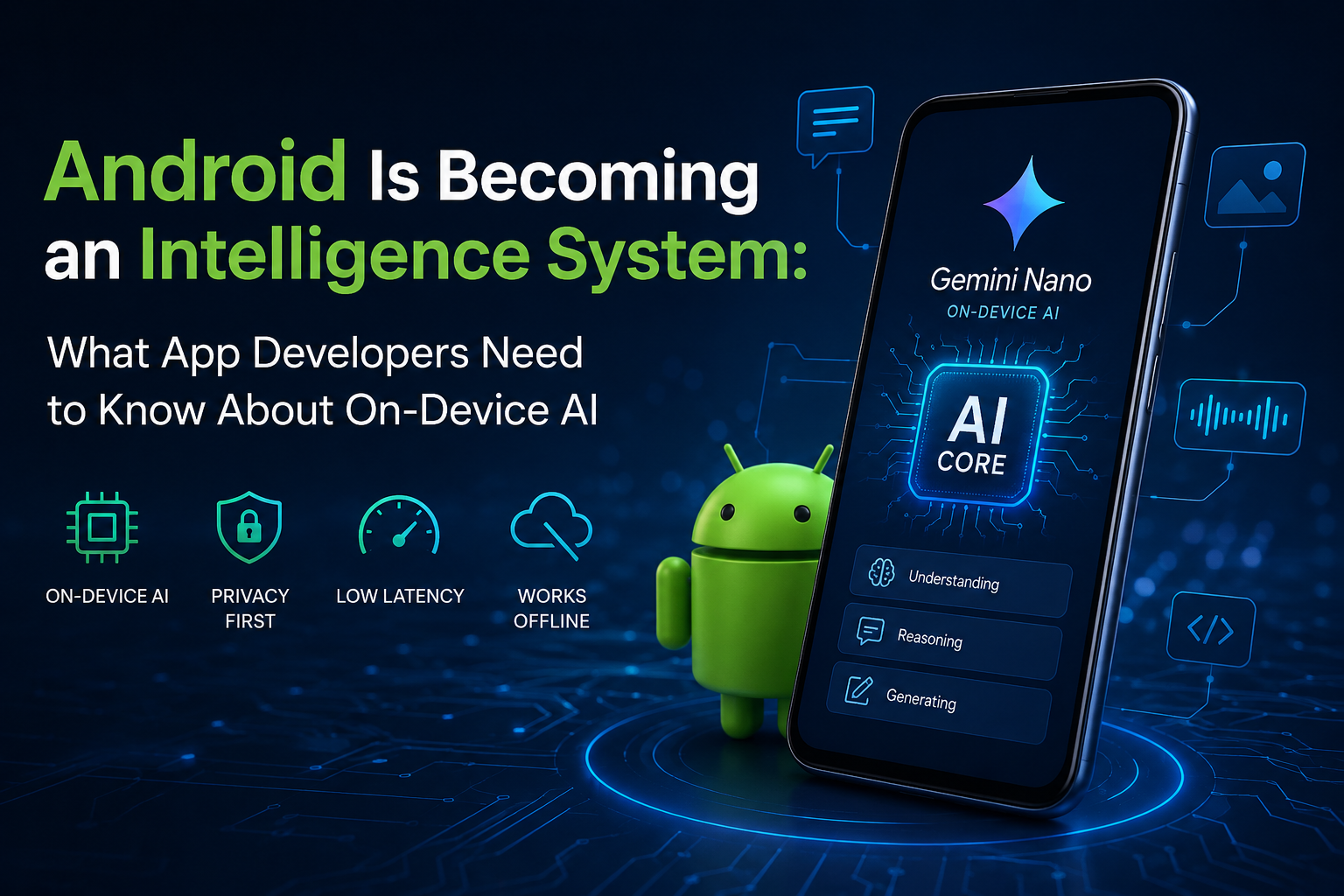
Android is moving toward what Google describes as an “intelligence system” — an environment where AI can understand user intent, work across applications, automate tasks, and make use of capabilities exposed by individual apps.
Google announced this direction in May 2026, describing Android’s evolution from an operating system toward an intelligence system powered by deeper integration between hardware, software, and AI.
For Android developers, this isn’t simply another AI API to learn.
It potentially changes how we design applications themselves.
Instead of building apps that only respond to UI interactions, developers increasingly need to think about applications as collections of capabilities that can be discovered and used by intelligent agents.
And one of the most important pieces of this transition is on-device AI.
What Does “Android as an Intelligence System” Actually Mean?
The traditional Android model looks something like this:
User
  ↓
Android UI
  ↓
Application
  ↓
Backend APIs
  ↓
Database / Services
  ↓
Response
  ↓
UI
The intelligence-system model introduces another layer:
                    ┌──────────────────┐
                    │   User Intent    │
                    └────────┬─────────┘
                             ↓
                    ┌──────────────────┐
                    │   AI / Agent     │
                    └────────┬─────────┘
                             ↓
              ┌──────────────┴──────────────┐
              ↓                             ↓
       On-device AI                  App capabilities
       Gemini Nano                   AppFunctions
              ↓                             ↓
              └──────────────┬──────────────┘
                             ↓
                      Application Logic
                             ↓
                         Services
The important difference is that the AI layer can potentially determine what needs to happen, rather than simply waiting for the user to navigate through the application’s UI.
Google’s current Android AI documentation describes AppFunctions as a way for apps to expose services, data, and actions to authorized agents and assistants.
This creates an interesting question:
What happens when an Android application becomes something an AI agent can operate, rather than something a user must manually navigate?
Why On-Device AI Matters
One of the biggest pieces of this transformation is on-device inference.
Traditionally, generative AI applications have looked like this:
Android App
     ↓
Internet
     ↓
Cloud AI Model
     ↓
Internet
     ↓
Android App
With on-device AI:
Android App
     ↓
Android AI APIs
     ↓
Gemini Nano / On-device Model
     ↓
Result
The model can process the request directly on the device.
Google’s current Android documentation identifies Gemini Nano as its foundation model for on-device use cases. It runs through Android’s AICore system service, which uses device hardware to provide low-latency inference and manages the model lifecycle.
This approach has several important advantages.
1. Privacy
If sensitive information can be processed locally, an application doesn’t necessarily have to send that information to a remote AI service.
Consider a receipt containing:
- Name
- Address
- Transaction details
- Payment information
Instead of sending the complete image to a cloud model, an application can potentially process it locally.
Google’s recent Android example specifically demonstrates using Gemini Nano for local receipt understanding and structured extraction.
2. Lower Latency
Cloud AI requires network communication.
That means:
Request
 ↓
Network
 ↓
Server
 ↓
Model inference
 ↓
Network
 ↓
Response
On-device inference removes much of that round trip.
In Google’s July 2026 example, prompt optimization reduced the response time of an on-device experience from approximately 13 seconds to under 2 seconds.
3. Offline or Poor-Connectivity Scenarios
An application doesn’t necessarily need a reliable internet connection for every AI-powered feature.
This can be particularly useful for:
- Travel applications
- Field-service applications
- Enterprise applications
- Note-taking
- Document processing
- Local text transformation
- Accessibility features
Google explicitly highlights unreliable or unavailable connectivity as one of the advantages of on-device inference.
4. Reduced Cloud Inference Costs
When inference happens on the user’s hardware, the application isn’t sending every AI request to a cloud model.
That can become significant when an application reaches millions of users.
Instead of:
1 million users
       ↓
Millions of cloud AI requests
       ↓
Cloud inference bill
some workloads can become:
1 million devices
       ↓
Local inference
Of course, this doesn’t mean cloud AI disappears. It means developers can choose the right execution environment for each task.
Gemini Nano: AI That Lives on the Device
The key technology behind Google’s on-device generative AI strategy is Gemini Nano.
Gemini Nano runs inside Android’s AICore infrastructure.
A simplified architecture looks like:
Your Android App
       │
       ▼
   ML Kit GenAI
       │
       ▼
     AICore
       │
       ▼
   Gemini Nano
       │
       ▼
Device Hardware
CPU / GPU / NPU
The important part is that developers don’t have to manually manage a huge AI model inside every application.
AICore manages the underlying foundation model and leverages device hardware for inference. Google also states that AICore handles model distribution and updates, reducing the deployment and storage burden on individual apps.
Gemini Nano 4 and the Next Generation of On-Device AI
This area is evolving quickly.
Google announced Gemma 4 in April 2026 as the foundation for the next generation of Gemini Nano. Google said Gemini Nano 4 would incorporate additional optimizations for efficient on-device inference.
By July 2026, Google’s Android developer guidance was already demonstrating Gemini Nano 4 through ML Kit’s Prompt API for real application scenarios.
This is important because the conversation is moving beyond:
“Can a phone run an AI model?”
toward:
“What useful application functionality should run locally on the phone?”
That is a much more interesting question for developers.
ML Kit GenAI APIs: Bringing Gemini Nano Into Your App
Developers don’t necessarily need to build an AI runtime from scratch.
Google’s ML Kit GenAI APIs provide higher-level APIs for common generative AI scenarios.
Current capabilities include areas such as:
- Prompt-based generation
- Summarization
- Proofreading
- Rewriting
- Image description
- Speech recognition
These APIs use Gemini Nano through AICore for on-device execution.
For example, imagine a travel application containing this data:
Flight: Delhi → London
Hotel: London Central
Duration: 7 days
Activities: Museum, City Tour, Shopping
Instead of sending this information to a backend and asking a cloud model to summarize it, the application could potentially use an on-device model to generate:
Your 7-day London trip includes:

• Flight from Delhi to London
• Stay at London Central
• Museum visit
• City tour
• Shopping

Don't forget your passport and travel documents.
The important point isn’t the generated text itself.
The important point is where the processing happens.
Multimodal On-Device AI
On-device AI isn’t limited to text.
Modern models can work with multiple types of input.
For example:
        ┌──────────────┐
        │ User Input   │
        └──────┬───────┘
               │
       ┌───────┼────────┐
       ↓       ↓        ↓
     Text    Image    Audio
       │       │        │
       └───────┼────────┘
               ↓
        Gemini Nano
               ↓
          Structured
            Result
Google’s recent Gemini Nano 4 examples include image understanding and structured extraction from receipts.
That opens the door to features such as:
- Extracting information from receipts
- Understanding images
- Summarizing content
- Transcribing audio
- Classifying local content
- Transforming user-generated text
- Generating contextual suggestions
But On-Device AI Isn’t the Answer to Everything
This is where developers need to avoid one common mistake:
AI does not automatically mean everything should run locally.
On-device models have constraints.
A cloud model may be more appropriate when you need:
- Very complex reasoning
- Large context windows
- Access to constantly changing external information
- Heavy multimodal processing
- Server-side tools
- Large-scale data processing
On-device models are often attractive when you need:
- Privacy
- Low latency
- Offline functionality
- Lower per-request cloud cost
- Shorter inputs and outputs
- Local personalization
A practical architecture might therefore look like:
                  User Request
                       │
                       ▼
                 Decision Layer
                  /           \
                 /             \
                ▼               ▼
        On-device AI         Cloud AI
        Gemini Nano          Gemini
                │               │
                └───────┬───────┘
                        ▼
                    App Logic
The future isn’t necessarily local AI vs cloud AI.
It is more likely to be local AI + cloud AI, depending on the task.
The Bigger Change: From AI Features to AI Agents
This is where things get much more interesting.
Imagine a shopping application.
Today, the user might:
- Open the app.
- Search for a product.
- Apply filters.
- Select the product.
- Add it to the cart.
- Open the cart.
- Checkout.
The future experience could look more like:
“Find me running shoes under ₹8,000 and add the best-rated pair to my cart.”
An AI agent needs access to capabilities such as:
searchProducts()
getProductDetails()
filterProducts()
addToCart()
getCart()
The agent doesn’t necessarily need to understand every screen in the application.
It needs to understand what the application can do.
This is where Android’s AppFunctions become particularly interesting.
AppFunctions: Making Android Apps Agent-Ready
Google describes AppFunctions as an Android platform API, together with a Jetpack library, designed to simplify integration between Android apps and AI agents. Apps can expose functions that agents and assistants can discover and execute.
Think about it as:
Your Application
─────────────────────────────

searchProducts()
addToCart()
getOrderStatus()
cancelOrder()
updateAddress()
Instead of keeping these capabilities accessible only through your UI, the application can describe them to the Android intelligence system.
An AI agent can then potentially reason:
User:
"Where is my order?"

        ↓

AI Agent

        ↓

Find appropriate capability

        ↓

getOrderStatus()

        ↓

Your Application

        ↓

Order #123
Status: Out for delivery

        ↓

AI response
"Your order is out for delivery."
AppFunctions are currently experimental, and integration with Gemini is in private preview according to Google’s current documentation. They are available on Android 16 and higher.
So developers should treat this as an emerging platform direction rather than a mature, universally available production feature.
AppFunctions and MCP: Why Developers Should Pay Attention
There is an interesting connection between AppFunctions and the Model Context Protocol (MCP) ecosystem.
MCP provides a standardized way for AI systems to interact with tools and external capabilities.
Android’s AppFunctions take a similar idea into the mobile application environment.
You can think of the conceptual model as:
Traditional MCP

AI Agent
   ↓
MCP
   ↓
Tools / Services


Android AppFunctions

Android Agent
   ↓
AppFunctions
   ↓
Android Application Capabilities
Google describes AppFunctions as the mobile equivalent of tools within MCP, allowing Android apps to expose capabilities that authorized agents can discover and execute.
This is a significant architectural shift.
Developers may increasingly need to think about APIs not just as:
APIs for the frontend
but as:
Capabilities that humans and AI agents can invoke.
Your KDoc May Become Part of the AI Interface
There is another subtle but important developer consideration.
When an AI agent needs to decide whether to call a function, it needs to understand:
- What the function does
- When it should be used
- What parameters mean
- What values are valid
- What the result represents
That means documentation becomes more important.
Google’s AppFunctions guidance specifically emphasizes clear KDoc because these descriptions become part of the information used by the system agent when determining how to execute functions.
For example, this is not ideal:
/**
 * Gets data.
 */
fun getData(id: String)
A better description would be:
/**
 * Retrieves the current delivery status for an order.
 *
 * @param orderId Unique identifier of the order.
 * @return Current delivery status and estimated delivery time.
 */
fun getOrderStatus(orderId: String)
The second description provides much more semantic information.
In an agentic environment, good API documentation can become part of your application’s AI interface.
What Happens to the UI?
Does this mean traditional Android UI is going away?
No.
People will still browse, explore, compare, and interact manually.
But applications may increasingly support two interaction models.
Model 1 — Traditional interaction
User
 ↓
Screen
 ↓
Button
 ↓
Feature
Model 2 — Agentic interaction
User
 ↓
Intent
 ↓
AI Agent
 ↓
App Capability
 ↓
Result
The best applications may support both.
For example:
Browse mode
User opens a travel application and manually explores hotels.
Intent mode
“Find me a hotel near the conference venue for three nights under ₹15,000.”
The same application capabilities can support both experiences.
What Does This Mean for Android Developers?
This evolution introduces a new set of questions developers should start asking during architecture discussions.
Instead of only asking:
“Which screen should this feature live on?”
we may also need to ask:
“What capability does this feature provide?”
Instead of:
“Which button triggers this operation?”
we may also ask:
“Could an agent invoke this operation safely?”
Instead of:
“Can this data be sent to our backend?”
we should ask:
“Does this data actually need to leave the device?”
This doesn’t mean every application needs to become an AI application.
It means developers should understand where AI genuinely improves the product.
A Practical Architecture for the AI-Native Android App
A modern application could eventually look something like this:
                    ┌────────────────────┐
                    │       User         │
                    └─────────┬──────────┘
                              │
                              ▼
                    ┌────────────────────┐
                    │ Android Intelligence│
                    │      System        │
                    └─────────┬──────────┘
                              │
                ┌─────────────┴─────────────┐
                │                           │
                ▼                           ▼
       ┌─────────────────┐        ┌─────────────────┐
       │  On-device AI   │        │    Cloud AI     │
       │   Gemini Nano   │        │ Gemini / APIs   │
       └────────┬────────┘        └────────┬────────┘
                │                          │
                └────────────┬─────────────┘
                             ▼
                    ┌─────────────────┐
                    │   App Logic     │
                    └────────┬────────┘
                             │
                 ┌───────────┼───────────┐
                 ▼           ▼           ▼
             Database     APIs      AppFunctions
This architecture doesn’t mean every layer is mandatory.
Rather, it illustrates how different AI execution models can coexist.
When Should You Use On-Device AI?
A useful rule of thumb is:
| Requirement | Better Candidate |
|---|---|
| Short text transformation | On-device |
| Summarization of local content | On-device |
| Receipt/document understanding | On-device |
| Privacy-sensitive local data | On-device |
| Offline AI feature | On-device |
| Complex reasoning | Cloud |
| Huge context | Cloud |
| External web knowledge | Cloud |
| Complex tool orchestration | Hybrid |
| AI-controlled app functionality | AppFunctions + Agent |
The exact choice should always depend on the model capabilities, device support, latency requirements, privacy requirements, and product experience.
What Developers Should Start Learning
If you’re an Android developer today, you don’t need to become an ML researcher.
But there are several areas worth understanding.
1. On-device inference
Understand:
- Gemini Nano
- AICore
- ML Kit GenAI APIs
- Model availability
- Device limitations
- Latency
- Memory and battery considerations
2. Prompt engineering
Even when working with on-device models, prompt design matters.
Learn how to:
- Structure prompts
- Control output
- Handle failures
- Reduce unnecessary context
- Validate model output
3. Structured output
AI-generated strings aren’t always enough.
Applications often need predictable objects:
data class Expense(
    val title: String,
    val amount: Double,
    val category: String
)
Structured generation makes AI output much easier to integrate into application logic.
4. Agentic architecture
Start thinking in terms of:
Intent
 ↓
Planning
 ↓
Tool selection
 ↓
Tool execution
 ↓
Result
 ↓
Response
5. AppFunctions
Even though AppFunctions are currently experimental, understanding the concept is valuable because it represents an important direction for Android’s intelligence-system architecture.
What About Flutter Developers?
This transition isn’t limited to native Android developers.
Flutter applications ultimately run on Android, so the same platform-level AI capabilities can become relevant to Flutter applications as well.
A Flutter architecture could potentially look like:
Flutter UI
    │
    ▼
Dart Business Logic
    │
    ▼
Platform Channel / Native API
    │
    ▼
Android AI APIs
    │
    ├── Gemini Nano
    ├── ML Kit GenAI
    └── AppFunctions
This means cross-platform developers should also pay attention to what Android exposes at the platform level.
The important distinction is:
Flutter provides the application framework, while Android provides the underlying platform capabilities.
As Android becomes more intelligent, Flutter applications may increasingly need native integrations to take advantage of those capabilities.
The Real Shift Isn’t “Adding AI”
This is probably the most important takeaway.
The next generation of Android applications isn’t simply going to be:
Existing app + ChatGPT-like chatbot
That’s the easy interpretation of AI integration.
The more interesting evolution is:
Old application

UI
 ↓
Features
 ↓
APIs
becoming:
AI-native application

User Intent
     ↓
Intelligence
     ↓
Capabilities
     ↓
Application Logic
     ↓
Services
AI becomes part of the interaction model rather than another screen inside the application.
Challenges Developers Should Not Ignore
This future also introduces serious engineering challenges.
Privacy
If an AI agent can access application capabilities, permissions become extremely important.
Developers need to carefully decide:
- What can an agent access?
- What actions require confirmation?
- What data is sensitive?
- Which operations should never be automated?
Security
Imagine exposing:
deleteAccount()
transferMoney()
sendMessage()
placeOrder()
as agent-accessible capabilities.
The technical ability to invoke a function does not automatically mean the function should be safely invocable without user confirmation.
Reliability
AI systems can misunderstand intent.
Therefore, critical operations should have:
- Validation
- Authorization
- Confirmation
- Safe defaults
- Clear error handling
- Auditing where appropriate
Device Fragmentation
Android has an enormous range of hardware.
Not every device will provide identical AI capabilities.
Developers need graceful fallbacks.
So, What Does the Future Android App Look Like?
The Android application of the future may not be defined primarily by its screens.
Instead, it may be defined by its capabilities.
A banking application could expose:
getBalance()
getTransactions()
findTransaction()
payBill()
A travel application:
searchFlights()
findHotels()
createItinerary()
cancelBooking()
A fitness application:
getWorkout()
logWorkout()
analyzeProgress()
createWorkoutPlan()
And AI becomes the layer that understands the user’s intent and determines which capabilities should be used.
The UI doesn’t disappear.
It becomes one of several ways users interact with the application.
Final Thoughts
Android’s transition toward an intelligence system is still evolving.
Some capabilities are already available today. Others, such as AppFunctions’ broader agent integration, are still experimental or in preview.
But the direction is becoming increasingly clear.
On-device AI is reducing the distance between the user, the device, and intelligence.
Gemini Nano brings generative AI closer to the hardware.
ML Kit makes that intelligence easier for application developers to consume.
AppFunctions begin exposing application capabilities to agents.
And Android’s intelligence system provides the larger environment in which these pieces can work together.
For developers, the biggest change may not be learning another API.
It may be changing the way we think about application architecture.
Instead of asking only:
“What screens should my app have?”
we may increasingly need to ask:
“What can my app understand, what can it do, and how can an intelligent system safely use those capabilities on behalf of the user?”
That is where the next generation of Android development is heading.
Key Takeaways
- Android is evolving toward an intelligence-system model.
- Gemini Nano enables generative AI directly on supported Android devices.
- AICore manages the on-device AI foundation-model infrastructure.
- ML Kit GenAI APIs make on-device AI easier to integrate.
- On-device inference can improve privacy, latency, offline reliability, and cloud-cost efficiency.
- Cloud AI remains valuable for complex reasoning and external knowledge.
- AppFunctions allow applications to expose capabilities to authorized AI agents.
- Developers should begin designing features as capabilities, not only UI flows.
- Security, permissions, validation, and user confirmation become even more important in agentic applications.
- The future is likely to be hybrid: on-device AI + cloud AI + agentic application capabilities.
The Android app is no longer just a collection of screens.
It is becoming a set of capabilities that intelligence can understand and use.