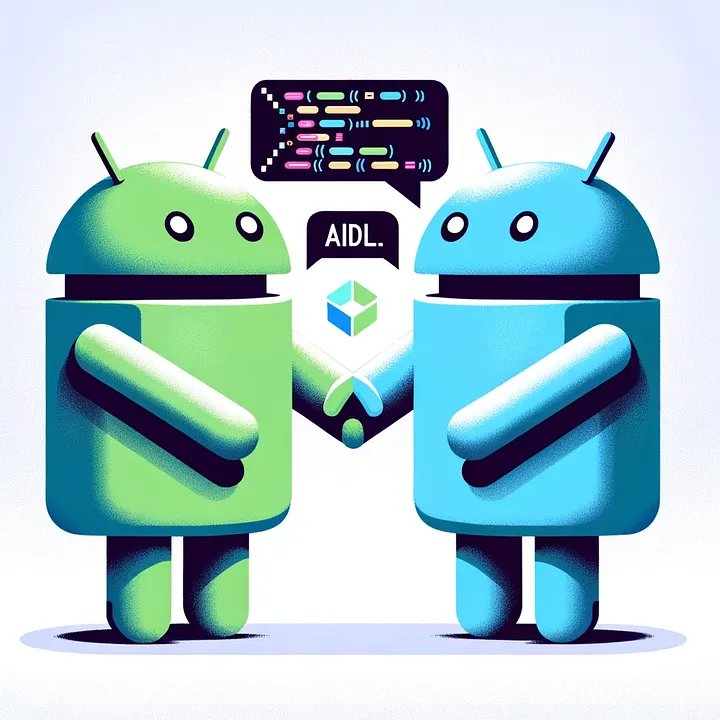
Inter-Process Communication (IPC) is a critical concept in Android when you want different applications—or different processes within the same app—to communicate with each other. One of the most powerful (and often misunderstood) ways to achieve IPC in Android is through AIDL (Android Interface Definition Language).
In this blog, we’ll break down AIDL from basics to advanced usage with practical understanding.
What is IPC in Android?
By default, every Android app runs in its own process and own virtual machine. This isolation ensures:
- Security
- Stability
- Memory management
However, sometimes apps need to share data or communicate, such as:
- Music player exposing playback controls
- Payment service used by multiple apps
- Background service accessed by UI app
This is where IPC (Inter-Process Communication) comes into play.
What is AIDL?
AIDL (Android Interface Definition Language) is a way to define the interface that enables communication between a client and a service running in different processes.
It allows you to:
- Call methods across process boundaries
- Pass complex data types
- Handle multi-threaded communication safely
⚠️ When Should You Use AIDL?
AIDL is powerful, but not always necessary.
✅ Use AIDL when:
- You need cross-process communication
- Multiple apps need to access a shared service
- You require parallel (multi-threaded) IPC
❌ Avoid AIDL when:
- Communication is within the same process → use Binder directly
- Simple data passing → use Intent / Bundle
- Lightweight communication → use Messenger
Core Concepts Behind AIDL
To understand AIDL, you must understand:
1. Client-Server Model
- Service (Server) → Provides functionality
- Client → Calls methods on the service
2. Binder Framework
AIDL is built on top of Android’s Binder IPC mechanism.
Binder handles:
- Serialization (marshalling/unmarshalling)
- Thread management
- Communication between processes
️ AIDL Architecture Overview
Client App → Binder → Service (Remote Process)Steps:
- Client binds to service
- Client gets IBinder reference
- Calls methods via AIDL interface
- System handles IPC behind the scenes
️ Step-by-Step Implementation
1. Create AIDL File
Create a .aidl file:
// IMyAidlInterface.aidl
package com.example.aidl;

interface IMyAidlInterface {
    int add(int a, int b);
    String getMessage();
}
2. Generate Binder Code
Android automatically generates:
IMyAidlInterface.StubThis is the bridge between client and service.
3. Implement the Service
public class MyAidlService extends Service {

    private final IMyAidlInterface.Stub binder = new IMyAidlInterface.Stub() {
        @Override
        public int add(int a, int b) {
            return a + b;
        }

        @Override
        public String getMessage() {
            return "Hello from Service";
        }
    };

    @Override
    public IBinder onBind(Intent intent) {
        return binder;
    }
}
4. Declare Service in Manifest
<service
    android:name=".MyAidlService"
    android:exported="true">
    <intent-filter>
        <action android:name="com.example.aidl.MyAidlService" />
    </intent-filter>
</service>
5. Bind from Client
private IMyAidlInterface myService;

private ServiceConnection connection = new ServiceConnection() {
    @Override
    public void onServiceConnected(ComponentName name, IBinder service) {
        myService = IMyAidlInterface.Stub.asInterface(service);
    }

    @Override
    public void onServiceDisconnected(ComponentName name) {
        myService = null;
    }
};
6. Call Remote Methods
int result = myService.add(5, 10);
String msg = myService.getMessage();
Data Types Supported in AIDL
Primitive Types:
- int, long, float, boolean
Other Types:
- String
- List
- Map
Custom Objects:
Must implement Parcelable
Example: Custom Parcelable Object
public class User implements Parcelable {
    public String name;
    public int age;

    protected User(Parcel in) {
        name = in.readString();
        age = in.readInt();
    }

    public static final Creator<User> CREATOR = new Creator<User>() {
        public User createFromParcel(Parcel in) {
            return new User(in);
        }

        public User[] newArray(int size) {
            return new User[size];
        }
    };

    @Override
    public void writeToParcel(Parcel dest, int flags) {
        dest.writeString(name);
        dest.writeInt(age);
    }

    @Override
    public int describeContents() {
        return 0;
    }
}
Then define in AIDL:
parcelable User;⚡ Threading in AIDL
Important point many developers miss:
- AIDL calls are not executed on the main thread
- They run on a Binder thread pool
⚠️ Implications:
- Handle synchronization yourself
- Avoid UI operations directly
- Ensure thread safety
Security Considerations
Since AIDL can expose your service to other apps:
Best Practices:
- Set
android:exported="false"if not needed externally - Use permissions
<service
    android:name=".MyAidlService"
android:permission="com.example.MY_PERMISSION" />- Validate all incoming data
⚖️ AIDL vs Messenger vs Binder
| Feature | AIDL | Messenger | Binder (Local) |
|---|---|---|---|
| Multi-thread | ✅ Yes | ❌ No | ✅ Yes |
| Complexity | High | Medium | Low |
| Cross-process | ✅ Yes | ✅ Yes | ❌ No |
| Performance | Fast | Moderate | Very Fast |
Common Mistakes
- ❌ Using AIDL for simple communication
- ❌ Not handling threading issues
- ❌ Forgetting Parcelable implementation
- ❌ Exposing service without permission
- ❌ Blocking Binder thread (causes ANR)
Real-World Use Cases
- Media playback services
- System-level services
- Multi-app architecture (e.g., fintech apps sharing services)
- Plugin-based architectures
Advanced Tips
1. One-way calls (async)
oneway void sendData(String data);2. Versioning AIDL
- Maintain backward compatibility
- Avoid removing existing methods
3. Performance Optimization
- Minimize IPC calls
- Batch data instead of frequent calls
Conclusion
AIDL is a powerful but complex tool in Android development. It provides:
- High-performance IPC
- Multi-threaded communication
- Cross-application interaction
But it comes with responsibilities:
- Thread safety
- Security
- Proper architecture decisions
Use AIDL only when truly needed, otherwise prefer simpler alternatives.
Final Thought
If you’re building scalable Android systems (especially multi-process or SDK-level work), understanding AIDL is not optional—it’s essential.