Introduction
Cloud infrastructure has made deploying and managing applications easier, faster, and more scalable. However, as organizations move more workloads to the cloud, security becomes one of the most important responsibilities of a DevOps team.
Amazon Web Services (AWS) provides a wide range of security services and controls, but simply deploying infrastructure on AWS does not automatically make it secure.
Misconfigured IAM permissions, exposed access keys, unrestricted network access, and a lack of infrastructure monitoring can create serious security risks.
In many cases, security incidents do not happen because AWS lacks security features. They happen because organizations do not configure or manage those features correctly.
A secure AWS environment requires more than a firewall or a strong password. It requires proper identity management, controlled access, continuous auditing, and visibility into infrastructure changes.
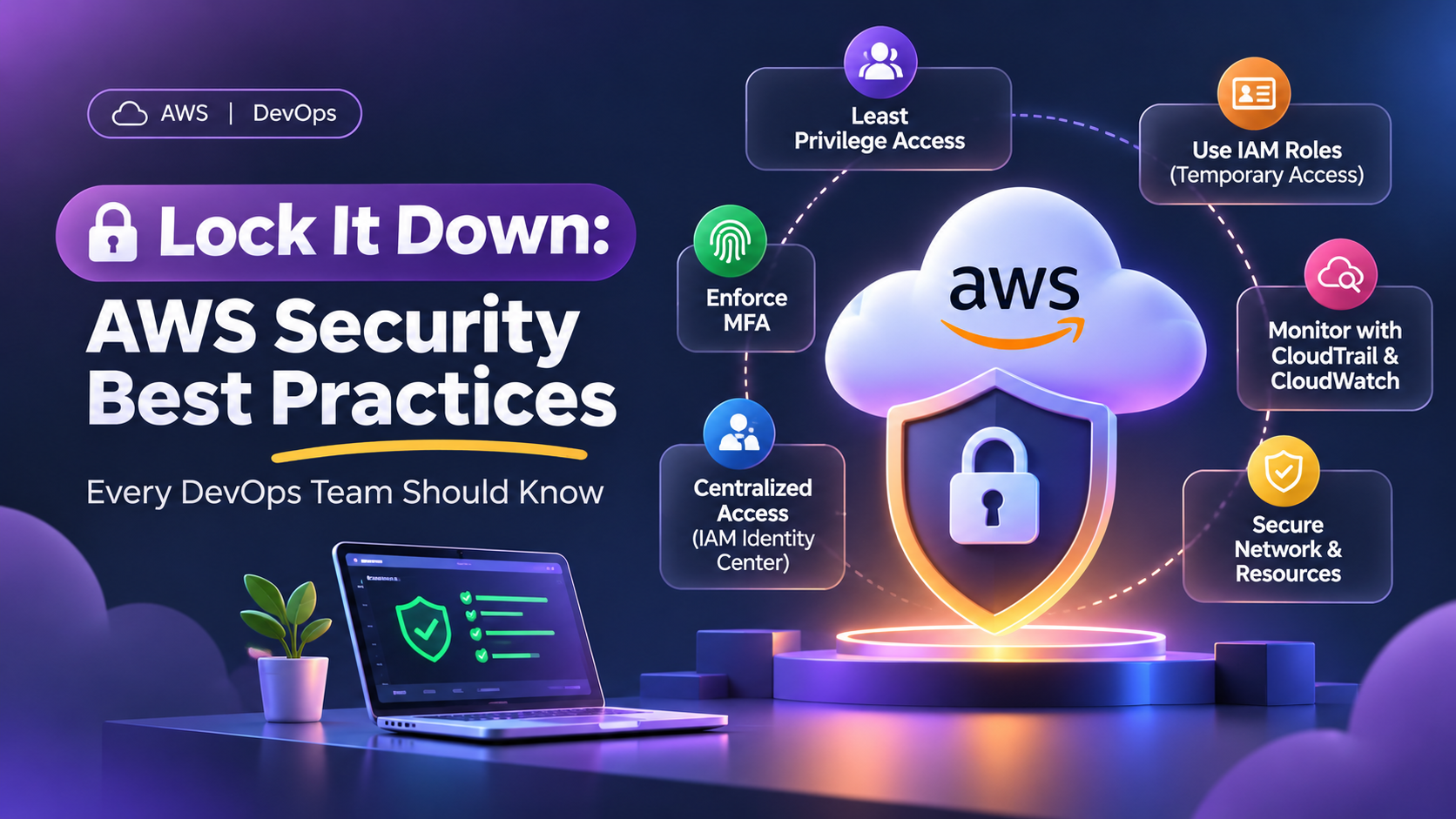
In this article, we will explore five important AWS security practices that every DevOps team should consider when managing cloud infrastructure.
1. Follow the Principle of Least Privilege
One of the fundamental principles of cloud security is the Principle of Least Privilege.
It means giving users, applications, and services only the permissions they actually need to perform their responsibilities — nothing more.
For example, imagine a developer who only needs to upload files to a specific S3 bucket.
Instead of granting full S3 access or administrator permissions, create an IAM policy that allows access only to the required bucket and the necessary operations.
Similarly:
- Developers should have access only to the environments they manage.
- Application servers should access only the AWS services required by the application.
- Database administrators should have permissions relevant to database management.
- DevOps engineers should receive infrastructure permissions according to their responsibilities.
Avoid unrestricted IAM policies
A common mistake is using broad IAM policies such as AdministratorAccess or wildcard permissions (*) for convenience.
Although these policies make it easier to perform operations, they also increase the potential impact of compromised credentials or accidental changes.
For example, if an IAM user with full administrative access has compromised credentials, an attacker could potentially modify infrastructure, access sensitive resources, or delete critical services.
Instead, create specific IAM policies that define:
- Which AWS services can be accessed.
- Which actions are permitted.
- Which resources can be accessed.
- Under what conditions access is allowed.
Best practice: Regularly review IAM permissions and remove unnecessary access. Apply least privilege to human users as well as applications and automated workloads.
2. Prefer IAM Roles and Temporary Credentials Over Static Access Keys
AWS access keys are commonly used to authenticate applications, scripts, and automation tools.
However, long-lived access keys introduce security risks when they are stored improperly, shared between developers, committed to Git repositories, or left unused for extended periods.
For example, imagine an application hosted on an EC2 instance that needs to upload files to S3.
A less secure approach would be to create an IAM user’s access key and manually configure it inside the application.
A better approach is to assign an appropriate IAM role to the EC2 instance.
The application can then obtain temporary credentials automatically through the EC2 instance metadata service.
These credentials are automatically rotated by AWS, reducing the need to manage permanent access keys manually.
Where should you use IAM roles?
| Use case | Recommended approach |
|---|---|
| EC2 accessing S3 | EC2 IAM instance profile |
| Lambda accessing DynamoDB | Lambda execution role |
| ECS tasks accessing AWS services | ECS task role |
| GitHub Actions deploying to AWS | IAM role with OIDC federation |
| Users accessing AWS Console | IAM Identity Center |
What if access keys are required?
There may still be situations where access keys are necessary, such as certain third-party integrations or legacy systems.
In those cases:
- Never commit access keys to Git repositories.
- Avoid storing credentials directly in application source code.
- Use AWS Secrets Manager or another approved secrets-management solution where appropriate.
- Rotate credentials regularly.
- Remove unused access keys.
- Restrict the permissions associated with each credential.
Best practice: Prefer temporary credentials wherever possible. Use IAM roles and federation instead of creating permanent access keys for everyday infrastructure operations.
3. Enforce MFA and Strengthen IAM User Security
Multi-Factor Authentication (MFA) adds another layer of security to AWS accounts.
With MFA enabled, a password alone is not sufficient to authenticate a user. The user must also provide an additional authentication factor, such as a code generated by an authenticator application or a hardware security key.
This is particularly important for accounts with administrative privileges.
Even if a password is compromised, MFA makes unauthorized access more difficult.
What should organizations implement?
- Enable MFA for all human identities with access to AWS.
- Prioritize privileged and administrative accounts.
- Prefer phishing-resistant authentication methods, such as security keys, where supported.
- Avoid sharing IAM user credentials between team members.
- Remove access immediately when employees leave or change responsibilities.
- Regularly review users, roles, and permissions.
Use AWS IAM Identity Center for centralized access
For organizations with multiple employees, managing individual IAM users across several AWS accounts can become difficult.
AWS IAM Identity Center provides centralized access management, allowing administrators to manage workforce identities and assign permission sets across AWS accounts.
Instead of creating separate IAM users for every employee in every account, organizations can establish centralized identity management and provide access according to job responsibilities.
For example:
- Developers can receive development account access.
- DevOps engineers can receive infrastructure management access.
- Finance teams can receive billing and cost visibility access.
- Administrators can receive privileged access when required.
This improves access management and makes employee onboarding and offboarding easier.
Best practice: Avoid shared AWS accounts and credentials. Give each person an individual identity and assign permissions based on their actual responsibilities.
4. Monitor Infrastructure Changes Using CloudTrail and CloudWatch
Securing AWS infrastructure is not just about controlling who can access resources. It is equally important to understand what happens after access is granted.
Organizations should maintain visibility into infrastructure activities, including changes to IAM policies, security groups, EC2 instances, S3 buckets, and other critical services.
AWS provides two important services for this purpose: CloudTrail and CloudWatch.
AWS CloudTrail: Know What Happened
AWS CloudTrail records account activity and API events, helping organizations understand who performed an action, what action was performed, and when it happened.
For example, consider the following situations:
- An IAM policy was modified.
- A security group was updated.
- An EC2 instance was terminated.
- An S3 bucket policy was changed.
- A new IAM access key was created.
CloudTrail helps investigate these activities and provides an audit trail for security and operational reviews.
For important production environments, ensure CloudTrail logging is configured appropriately across all required AWS accounts and regions.
Consider using a centralized, protected location for long-term audit log storage.
AWS CloudWatch: Turn Important Events into Alerts
While CloudTrail records activities, CloudWatch can help monitor logs and trigger alerts based on defined conditions.
For example, you can create CloudWatch metric filters to identify specific CloudTrail events and configure alarms to notify the responsible team.
Some important events worth monitoring include:
| Activity | Why it matters |
|---|---|
| Root account activity | Detect unexpected privileged access |
| IAM policy changes | Identify permission modifications |
| Security group changes | Detect unexpected network exposure |
| Access key creation | Monitor new long-lived credentials |
| CloudTrail configuration changes | Detect attempts to disable or modify auditing |
| Failed console sign-in attempts | Identify suspicious authentication activity |
Example monitoring workflow
A simple monitoring architecture can work like this:
- CloudTrail records AWS account activity.
- CloudTrail logs are delivered to CloudWatch Logs.
- CloudWatch metric filters identify specific events.
- CloudWatch alarms evaluate the configured conditions.
- Amazon SNS sends notifications to the responsible team.
This allows DevOps teams to receive notifications when important infrastructure changes occur instead of relying entirely on manual checks.
Best practice: Identify critical infrastructure activities and configure appropriate monitoring and alerting. Protect audit logs against unauthorized modification or deletion, and periodically verify that alerts are working.
5. Secure Your AWS Network and Infrastructure Resources
Identity security is only one part of cloud security. Network configurations and resource permissions also play an important role.
An incorrectly configured security group or an overly permissive S3 bucket policy can expose sensitive infrastructure or data to unauthorized access.
Follow secure networking practices
Security groups act as virtual firewalls for AWS resources.
Avoid allowing unrestricted inbound access unless it is genuinely required.
For example:
- SSH (port 22) should not be exposed to the entire internet.
- RDP (port 3389) should be restricted to approved access paths.
- Database ports should only be accessible from authorized application resources.
- Administrative services should ideally be accessed through controlled mechanisms such as VPN, bastion hosts, or AWS Systems Manager Session Manager.
For web applications, expose only the required public-facing services, such as HTTP and HTTPS, while keeping databases and internal application components private wherever possible.
Use resource-based policies carefully
AWS services such as S3 support resource-based policies that define who can access a particular resource.
For example, an S3 bucket policy can restrict access to approved IAM roles or specific AWS accounts.
However, incorrect policy configurations can unintentionally make resources publicly accessible.
Organizations should regularly review:
- S3 bucket public access settings.
- Resource-based policies.
- IAM role trust policies.
- Security group inbound and outbound rules.
- Cross-account access configurations.
Where applicable, use AWS security services such as Amazon GuardDuty, AWS Security Hub, and AWS Config to improve threat detection, security posture visibility, and configuration compliance.
Best practice: Apply security controls at multiple layers. Do not rely on IAM permissions alone; secure network access and individual AWS resources as well.
6. Build Security into Your Everyday DevOps Workflow
Security should not be treated as a one-time configuration task performed only during initial infrastructure deployment.
As applications evolve, new services are introduced, team members change, and infrastructure configurations are updated. Security practices must evolve alongside them.
DevOps teams can incorporate security into their regular workflows through a few simple practices:
- Before deployment: Review IAM permissions, network rules, and resource policies.
- During deployment: Use IAM roles and secure secrets management instead of hardcoded credentials.
- After deployment: Enable CloudTrail and configure monitoring for critical activities.
- During operations: Review access permissions, audit logs, and security alerts regularly.
- During maintenance: Remove unused identities, rotate necessary credentials, and update security configurations.
Automation can also help enforce security standards through infrastructure-as-code tools such as Terraform and CloudFormation.
This reduces manual configuration errors and helps maintain consistency across development, staging, and production environments.
Conclusion
AWS provides a comprehensive set of tools to help organizations secure their cloud infrastructure. However, these tools are effective only when they are configured and managed properly.
By following fundamental security practices, organizations can significantly improve their cloud security posture:
- Apply the Principle of Least Privilege.
- Prefer IAM roles and temporary credentials over static access keys.
- Enforce MFA and centralized identity management.
- Monitor infrastructure activities using CloudTrail and CloudWatch.
- Secure network configurations and resource-based access policies.
- Make security a continuous part of DevOps operations.
Remember, cloud security is not just about preventing unauthorized access. It is also about maintaining visibility, controlling permissions, detecting unexpected changes, and ensuring that your infrastructure remains protected as it grows.
A secure cloud environment is not built once and forgotten. It is continuously monitored, reviewed, and improved.