Introduction
Cloud computing has made it easier than ever for businesses to build, deploy, and scale applications without investing heavily in physical infrastructure. Services like Amazon Web Services (AWS) allow organizations to provision servers, databases, storage, networking, and other resources whenever they need them.
However, this flexibility comes with a challenge: cloud costs can quickly become unpredictable if they are not properly managed.
A development environment left running over the weekend, an oversized EC2 instance, unused storage volumes, or an unexpected increase in application traffic can all contribute to higher AWS bills.
In many cases, organizations focus heavily on infrastructure deployment and application performance but overlook cost planning and continuous monitoring.
AWS cost optimization is not simply about reducing expenses. It is about understanding where money is being spent, ensuring resources are used efficiently, and maintaining control over cloud infrastructure costs as applications grow.
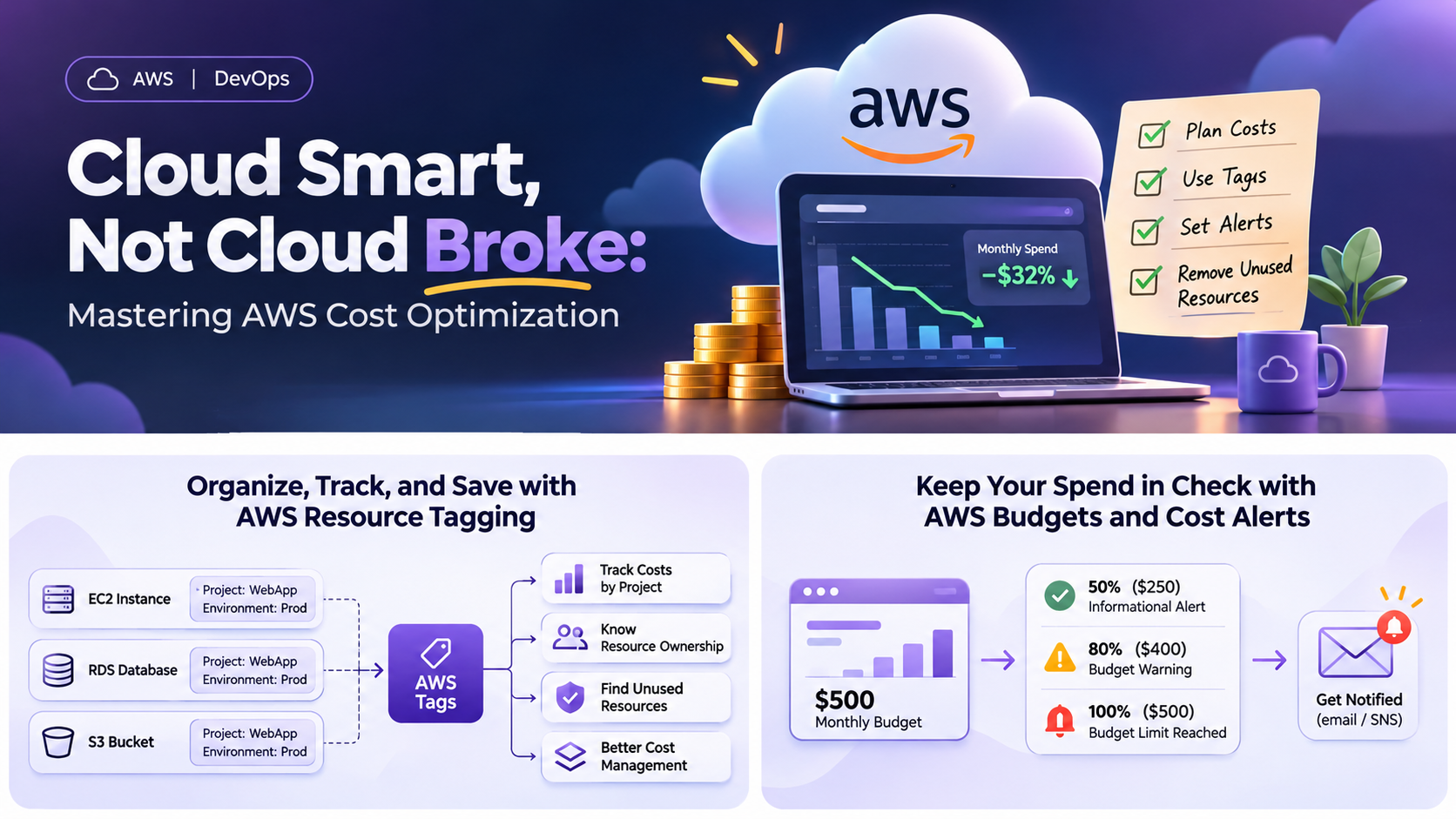
In this article, we will explore three important practices that help organizations maintain better control over AWS spending: cost planning, resource tagging, and cost monitoring through alerts.
1. Start with Cost Planning Before Deploying Infrastructure
One of the most common mistakes in cloud infrastructure management is deploying resources without estimating their expected monthly cost.
Before provisioning infrastructure, it is important to understand the application’s requirements and select AWS services accordingly.
For example, consider a web application that requires:
-
An EC2 instance to host the application.
-
An Application Load Balancer to distribute traffic.
-
An RDS database to manage application data.
-
An S3 bucket to store files and assets.
-
CloudWatch for monitoring and logging.
Each service contributes to the overall monthly infrastructure cost. While individual services may appear inexpensive, their combined cost can become significant.
Use the AWS Pricing Calculator:
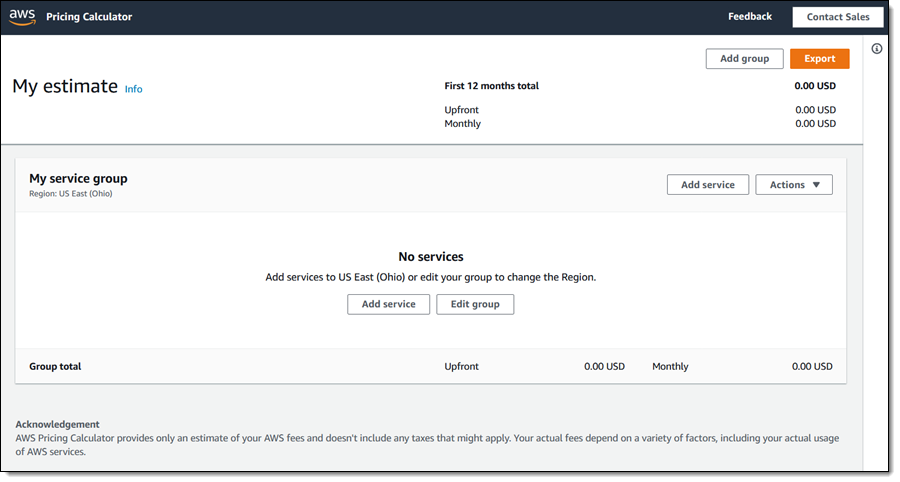
AWS provides the AWS Pricing Calculator to estimate the expected cost of infrastructure before deployment.
It allows teams to select services, configure resource specifications, choose AWS regions, and estimate monthly expenses.
For example, when planning an EC2-based deployment, you should consider:
-
Instance type and size.
-
Expected running hours.
-
Storage requirements.
-
Data transfer.
-
Load balancer charges.
-
Backup and monitoring requirements.
This helps teams prepare a more realistic infrastructure budget instead of making decisions based only on the initial server cost.
Best practice: Prepare a monthly infrastructure cost estimate before deployment and review it whenever major infrastructure changes are introduced.
2. Implement a Proper Resource Tagging Strategy
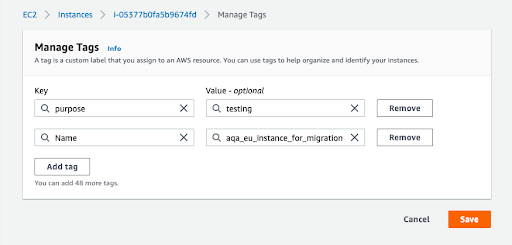
As cloud infrastructure grows, managing resources and identifying their ownership becomes increasingly difficult.
Imagine an AWS account containing 20 EC2 instances, multiple RDS databases, several S3 buckets, and other services. If resources are not properly organized, it becomes difficult to identify which project they belong to, who manages them, or which environment they support.
This is where AWS resource tagging becomes important.
Tags are key-value pairs attached to AWS resources. They help organizations categorize resources, track spending, and establish accountability.
Recommended AWS tagging strategy
A consistent tagging structure should be established across all environments.
For example:
| Tag key | Example value |
|---|---|
| Project | CustomerPortal |
| Environment | Production |
| Owner | DevOps-Team |
| CostCenter | Engineering |
| ManagedBy | Terraform |
Consider an organization running three environments:
- Development
- Staging
- Production
By applying consistent tags, teams can identify how much each environment costs and which resources contribute most to the overall spending.
For example, if the development environment accounts for an unexpectedly high percentage of monthly AWS expenses, the team can investigate whether unnecessary instances or storage resources are still running.
Why resource tagging matters
- Cost visibility: Identify spending by project, environment, or department.
- Resource ownership: Understand which team is responsible for each resource.
- Better management: Identify unused or forgotten resources more easily.
- Accountability: Help teams understand and manage their infrastructure expenses.
AWS Cost Explorer supports cost analysis using activated cost allocation tags. Keep in mind that not every tag automatically appears in billing reports; cost allocation tags need to be activated, and billing data can take time to become available.
Best practice: Establish a standard tagging policy and apply it consistently across all AWS environments. Where possible, automate tagging through infrastructure-as-code tools such as Terraform or CloudFormation.
3. Configure AWS Budgets and Cost Alerts

Planning infrastructure costs is important, but planning alone is not enough. Organizations also need a way to monitor actual spending and receive notifications when costs exceed expected limits.
AWS provides services such as AWS Budgets and AWS Cost Explorer to help achieve this.
AWS Budgets
AWS Budgets allows organizations to define spending limits and monitor actual or forecasted costs against a predefined budget.
For example, consider an organization with a monthly AWS infrastructure budget of $500.
You can configure budget notifications at different thresholds:
| Threshold | Notification |
|---|---|
| 50% ($250) | Informational alert |
| 80% ($400) | Budget warning |
| 100% ($500) | Budget limit reached |
Notifications can be configured to alert the responsible team through email or Amazon SNS.
This helps teams identify potential cost overruns before they become major financial concerns.
AWS Cost Explorer
AWS Cost Explorer provides visibility into AWS spending patterns.
It allows teams to:
- Review historical AWS spending.
- Compare monthly costs.
- Identify services contributing most to expenses.
- Analyze spending by linked account, region, or cost allocation tags.
- Identify unexpected increases in service costs.
For example, if EC2 spending increases significantly compared to the previous month, the team can investigate whether additional instances were deployed or existing instances were upgraded.
An important consideration
AWS Budgets notifications are not guaranteed to be instantaneous. Billing data is processed periodically, so alerts may arrive after spending has already crossed a configured threshold.
Also, a budget is a monitoring mechanism, not automatically a hard spending limit.
Best practice: Configure both actual-spending and forecasted-spending alerts. Ensure notifications reach the people responsible for managing cloud infrastructure.
4. Regularly Review and Remove Unused Resources
Another important part of AWS cost optimization is identifying resources that are no longer required.
Cloud resources are often created for testing, temporary deployments, development environments, or troubleshooting. However, they are not always removed after their purpose has been fulfilled.
Over time, these resources can contribute to unnecessary expenses.
Some common examples include:
- EC2 instances running without active workloads.
- Unattached EBS volumes that are no longer required.
- Unused Elastic IP addresses.
- Old snapshots and unnecessary backups.
- Oversized database instances.
- Load balancers with no active targets.
Regular infrastructure reviews can help identify these resources and determine whether they can be removed, resized, or scheduled to stop.
For development and staging environments, consider implementing automated schedules to stop non-production EC2 instances outside working hours.
For example, if a development server is only required during an eight-hour working day, scheduling it to stop overnight and on weekends can reduce its compute running costs.
However, remember that stopping an instance does not eliminate every associated charge. Attached storage and certain other resources may continue generating costs.
Best practice: Conduct a monthly infrastructure review and establish automated cleanup or scheduling policies wherever appropriate.
5. Make Cost Optimization Part of Your DevOps Workflow
Cost management should not be treated as a one-time activity. It should be an ongoing part of the infrastructure lifecycle.
DevOps teams can integrate cost management practices into their regular deployment and infrastructure management workflows.
Here are a few ways to achieve this:
- Before deployment: Estimate infrastructure costs and validate the proposed architecture.
- During provisioning: Apply standardized resource tags through Terraform, CloudFormation, or other deployment tools.
- After deployment: Configure AWS Budgets and cost notifications.
- During operations: Monitor spending trends and investigate unexpected increases.
- During maintenance: Remove unused resources and review infrastructure sizing.
This approach helps organizations maintain better financial visibility while ensuring that infrastructure continues to meet application requirements.
Conclusion
AWS provides powerful infrastructure services that allow businesses to scale applications quickly and efficiently. However, without proper cost planning and monitoring, cloud expenses can become difficult to manage.
By following a few fundamental practices, organizations can gain better control over their cloud spending:
- Estimate infrastructure costs before deployment.
- Implement consistent resource tagging.
- Configure AWS Budgets and cost alerts.
- Regularly review and remove unused resources.
- Make cost optimization a continuous part of DevOps operations.
Ultimately, effective AWS cost optimization is not about choosing the cheapest infrastructure available. It is about choosing the right infrastructure, understanding its financial impact, and ensuring that every resource delivers value to the organization.
A well-managed cloud environment is not just scalable and reliable; it is also financially sustainable.